Designing a new internal enterprise SaaS platform for automobile claims — a complete replacement for the legacy claims and adjuster system, covering everything from first notice of loss through investigation and payout.
A member of the Warrior Invictus Group, First Chicago has served customers since 1920. The company set out to build a new internal auto claims platform — a complex operational tool used by call center agents and adjusters to process claims from intake all the way through to payout.
I owned the full product experience — defining and designing the platform end to end. That meant building a design system and visual foundation from scratch, and establishing the user flows and interaction patterns the entire product would be built on.
This was a claims application built entirely from zero. There was no existing design foundation to lean on — no design system, no established patterns, no precedent. Every flow and every screen had to be defined, structured, and made coherent from the ground up.
A claim moves through two connected processes. First Notice of Loss is where a caller gives the incident details and the claim is created. Claim Investigation is where an adjuster works through the facts and reaches a recommendation on the payout. Each process is a sequence of distinct steps — and mapping that sequence clearly was the foundation everything else was built on.
The caller takes the incident details and creates the claim.
The adjuster works through the facts of the investigation and makes their recommendation on the payout.
Once intake is complete, the claim is assigned to an adjuster — the Claim File Owner — who carries it through a series of investigations to reach a final decision: pay out, or reject.
Give adjusters accurate, well-organized claim information so they can run a thorough investigation toward payout or rejection.
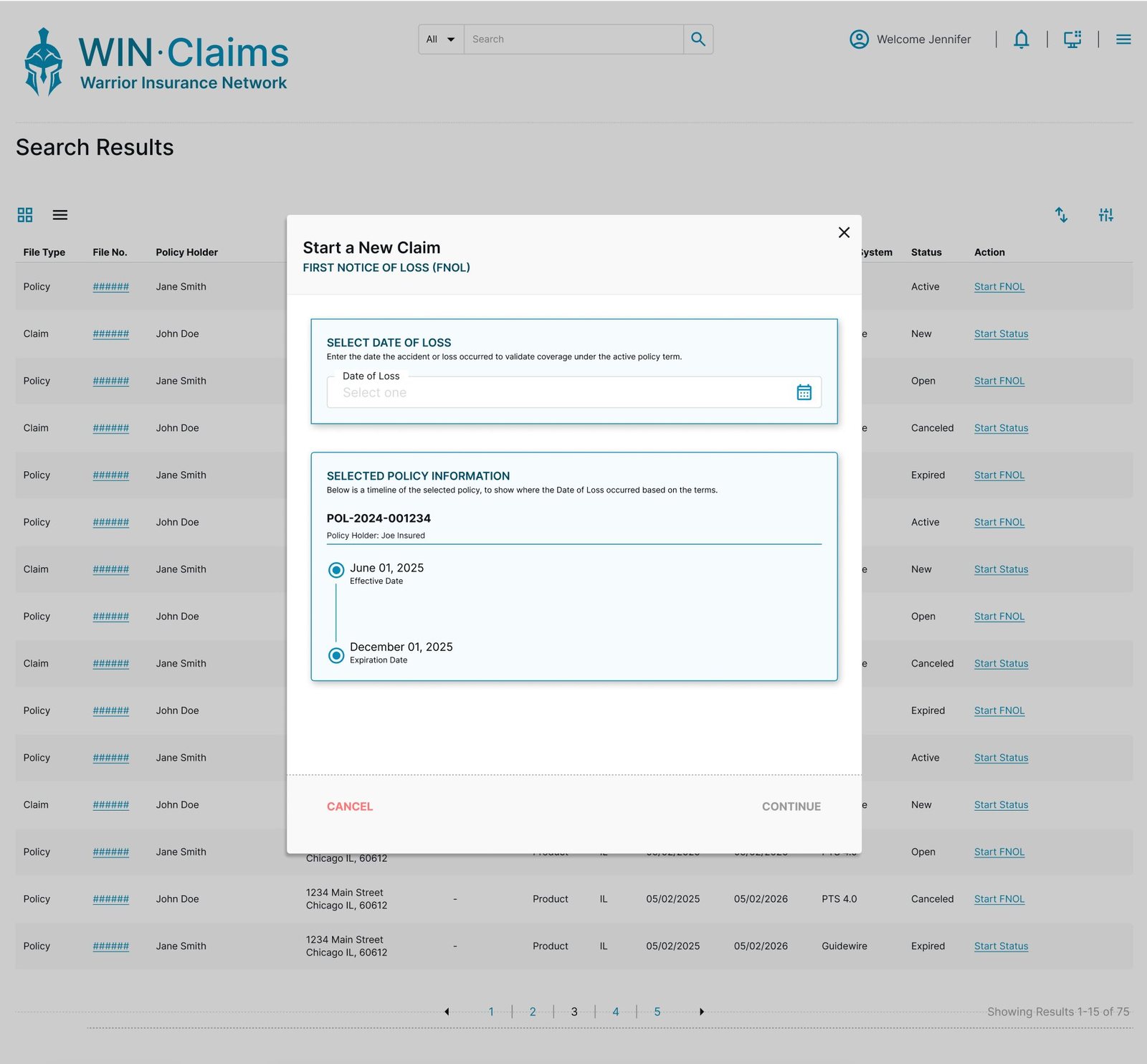
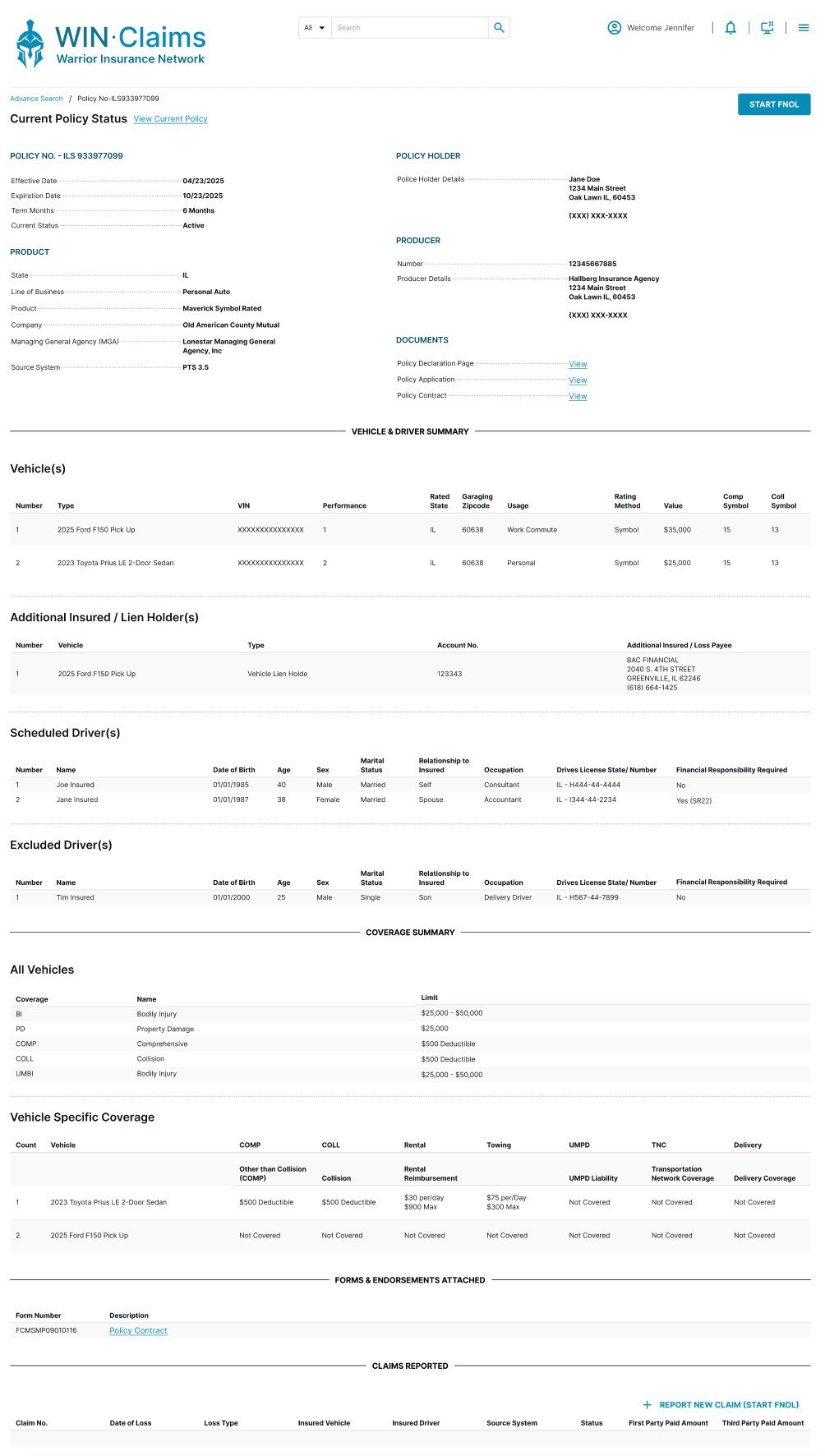
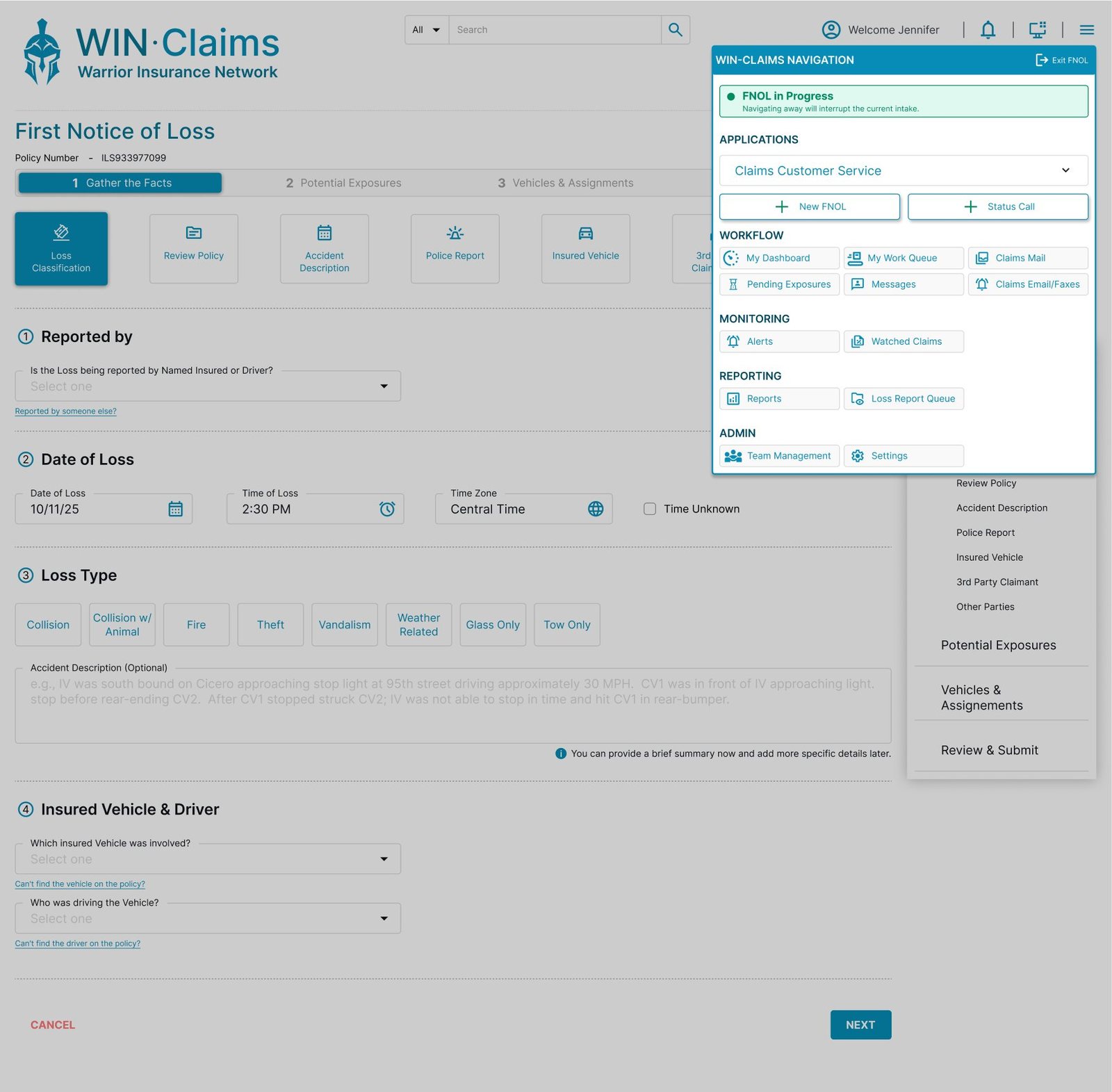
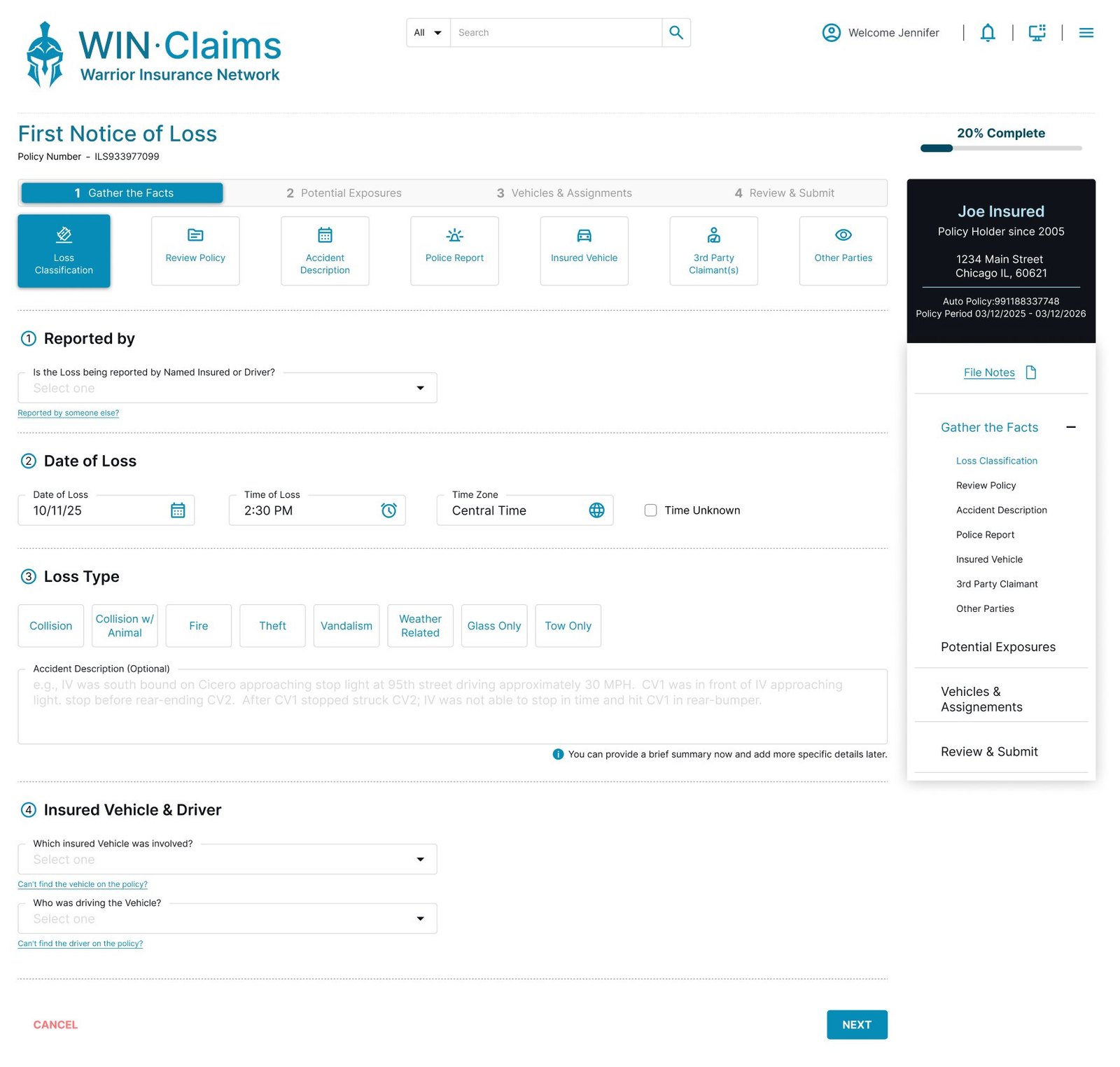
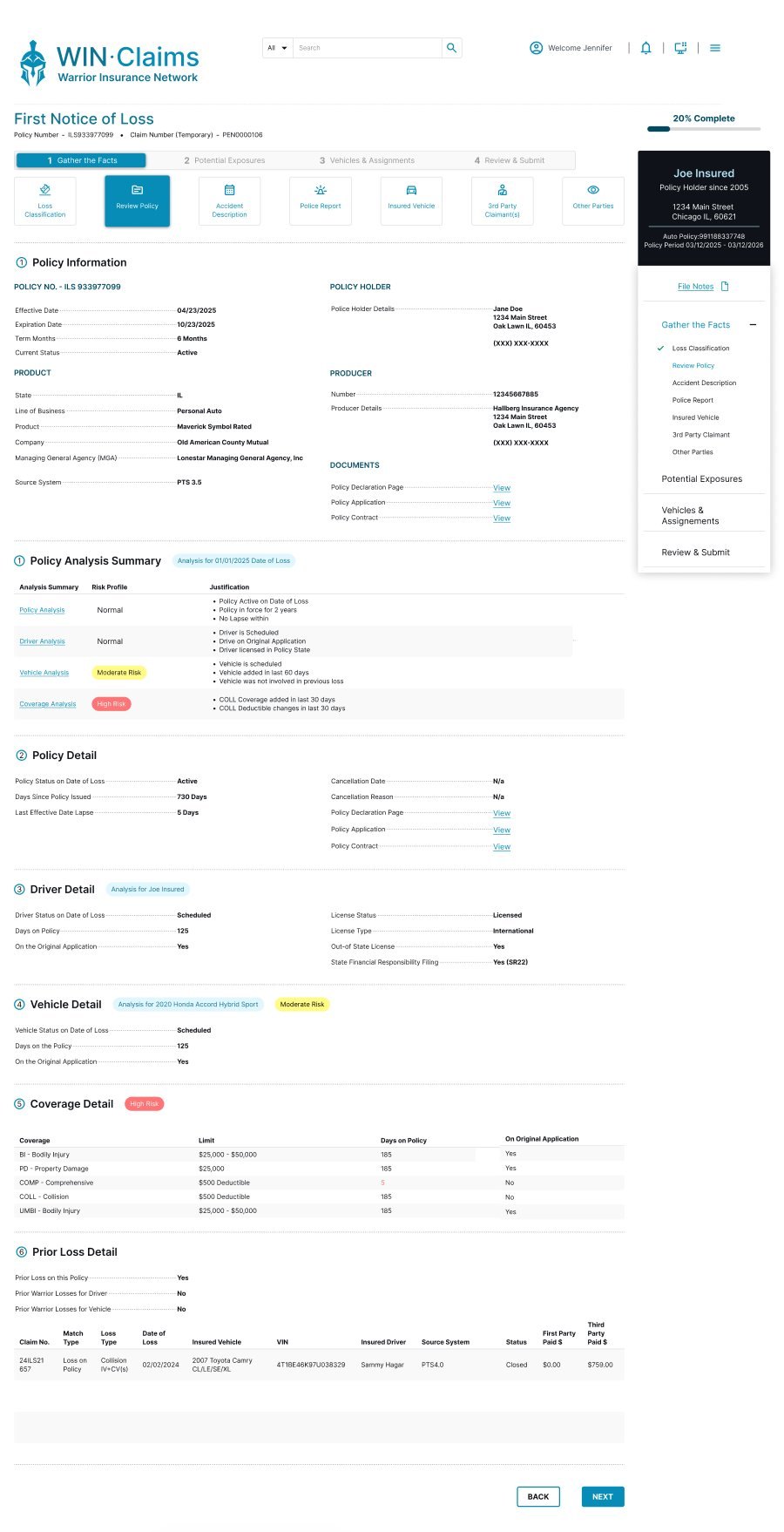
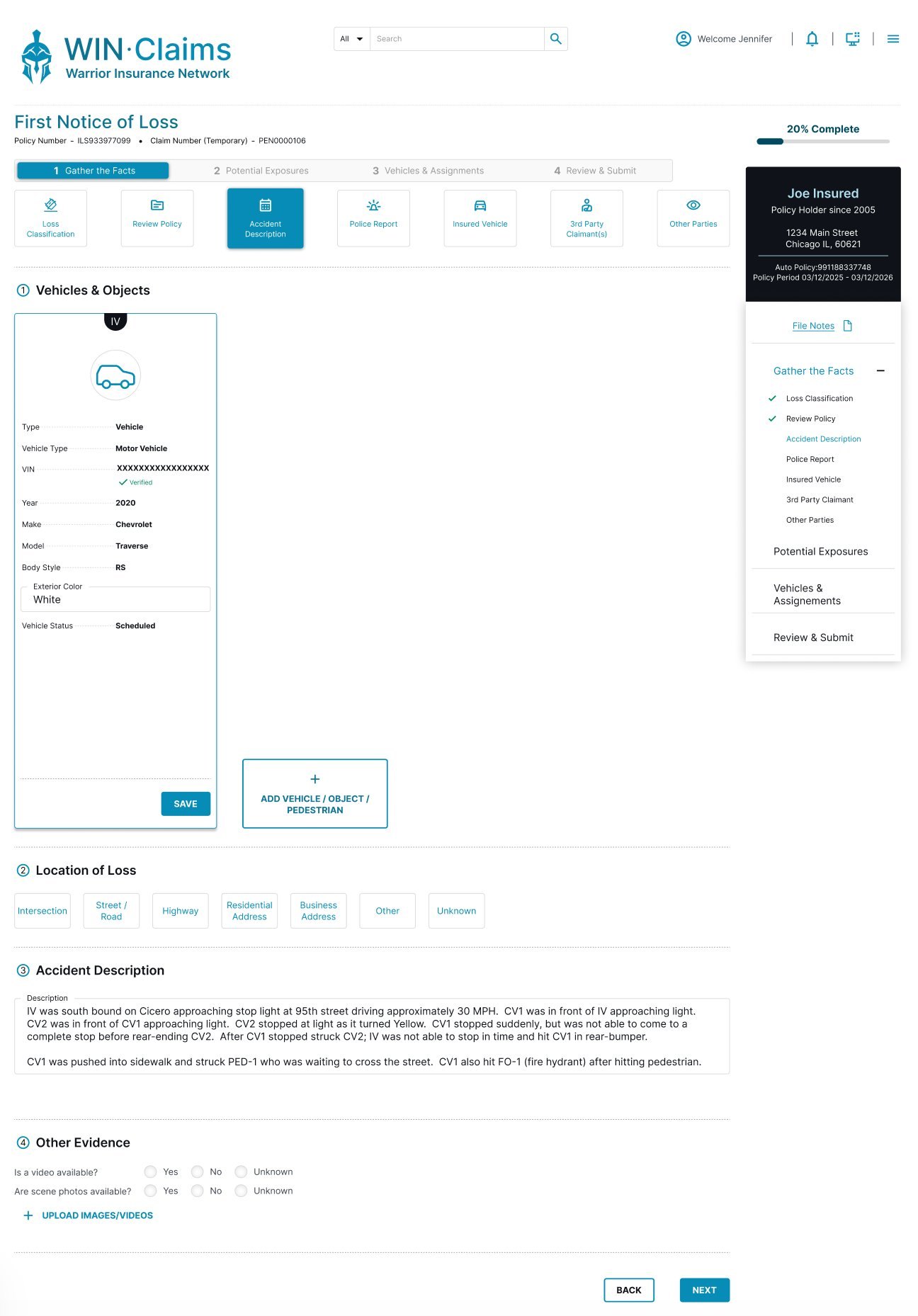
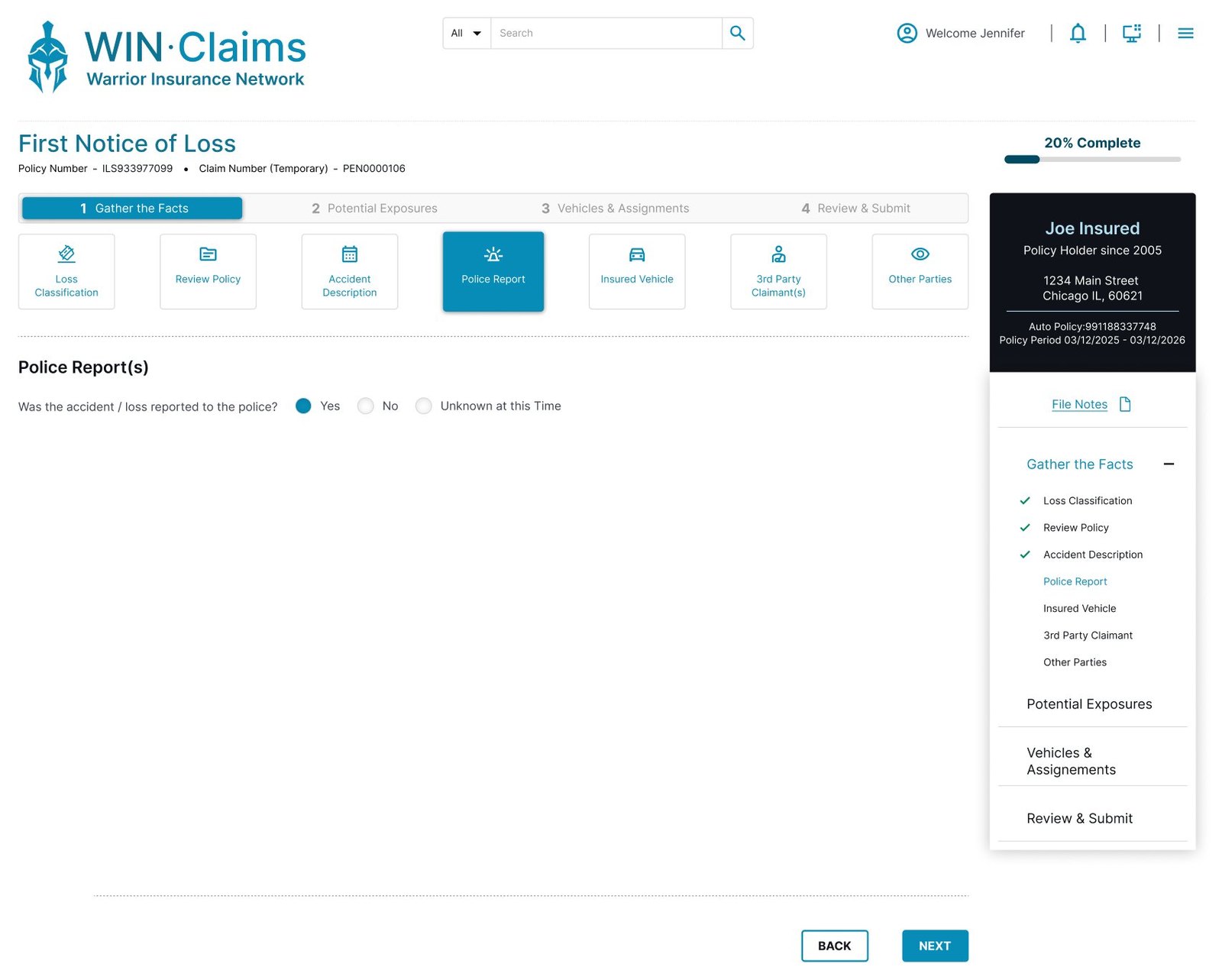
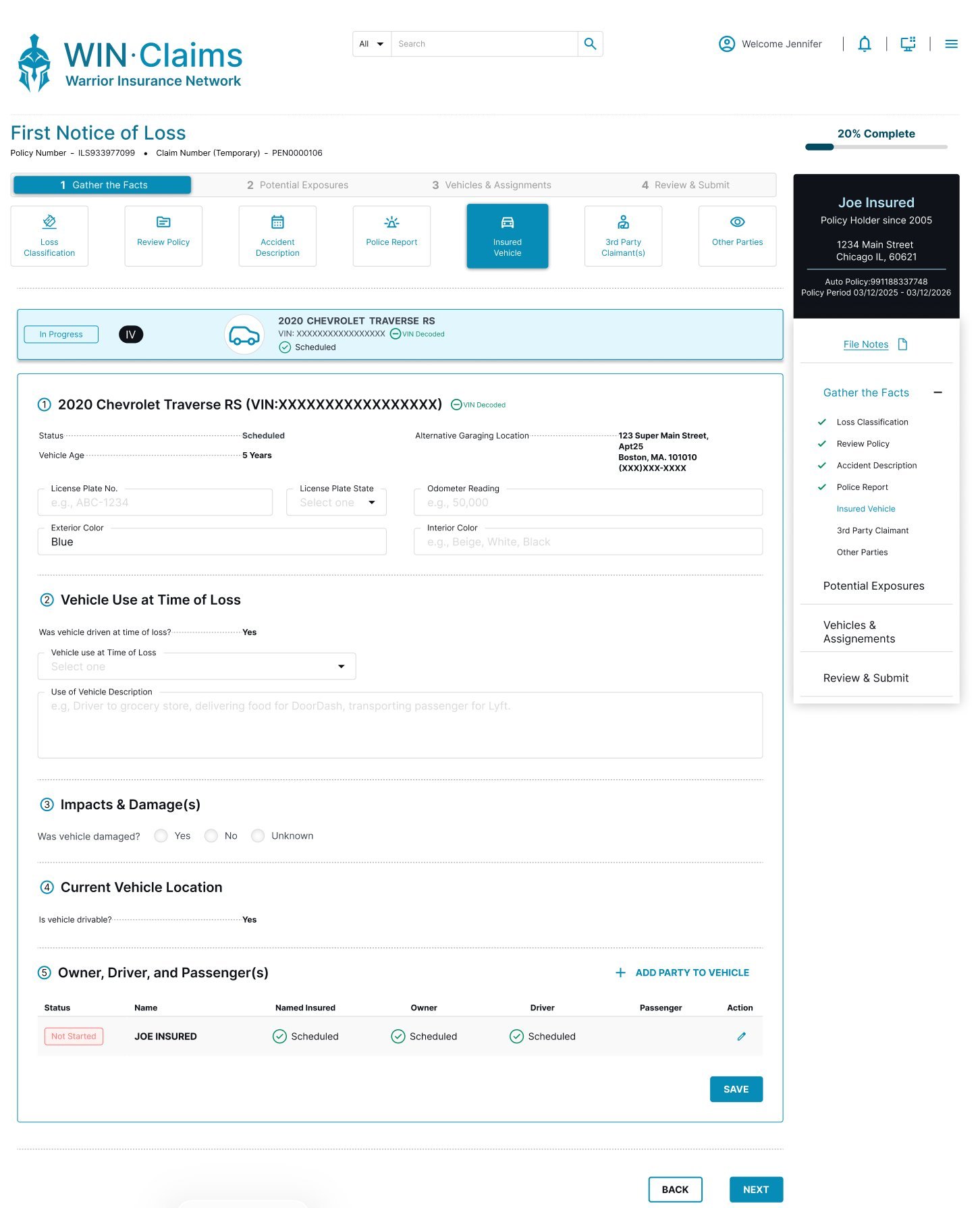
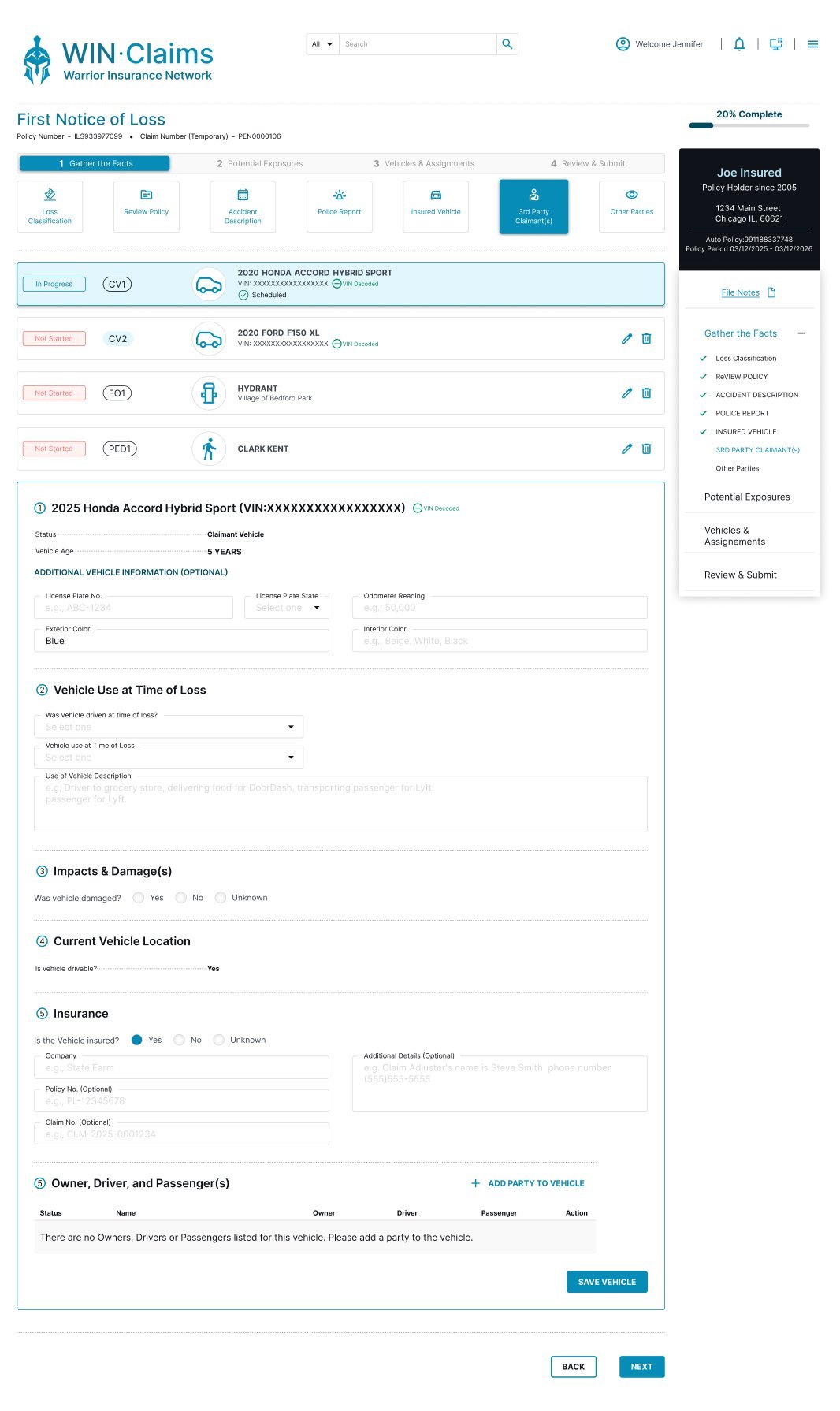
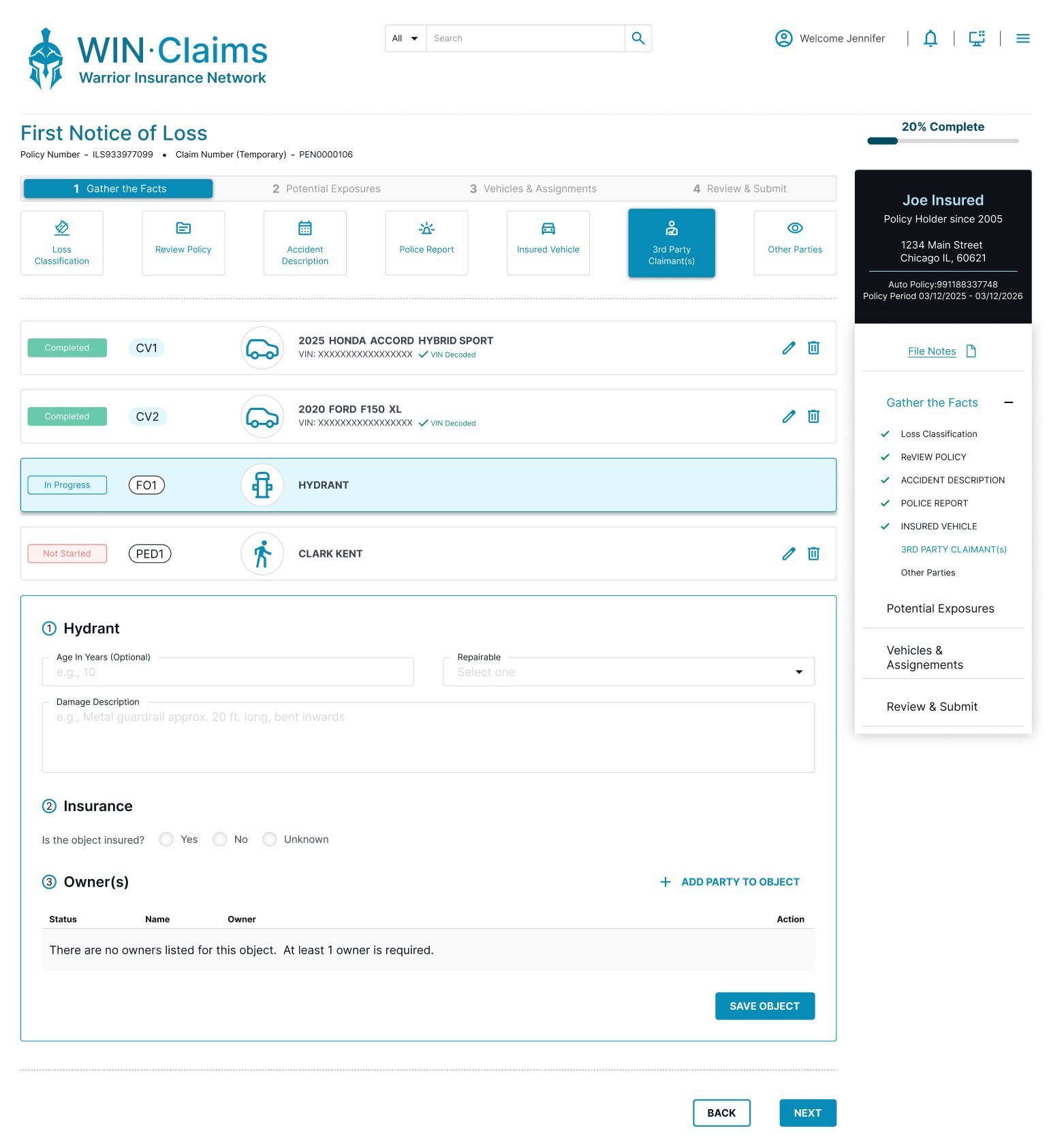
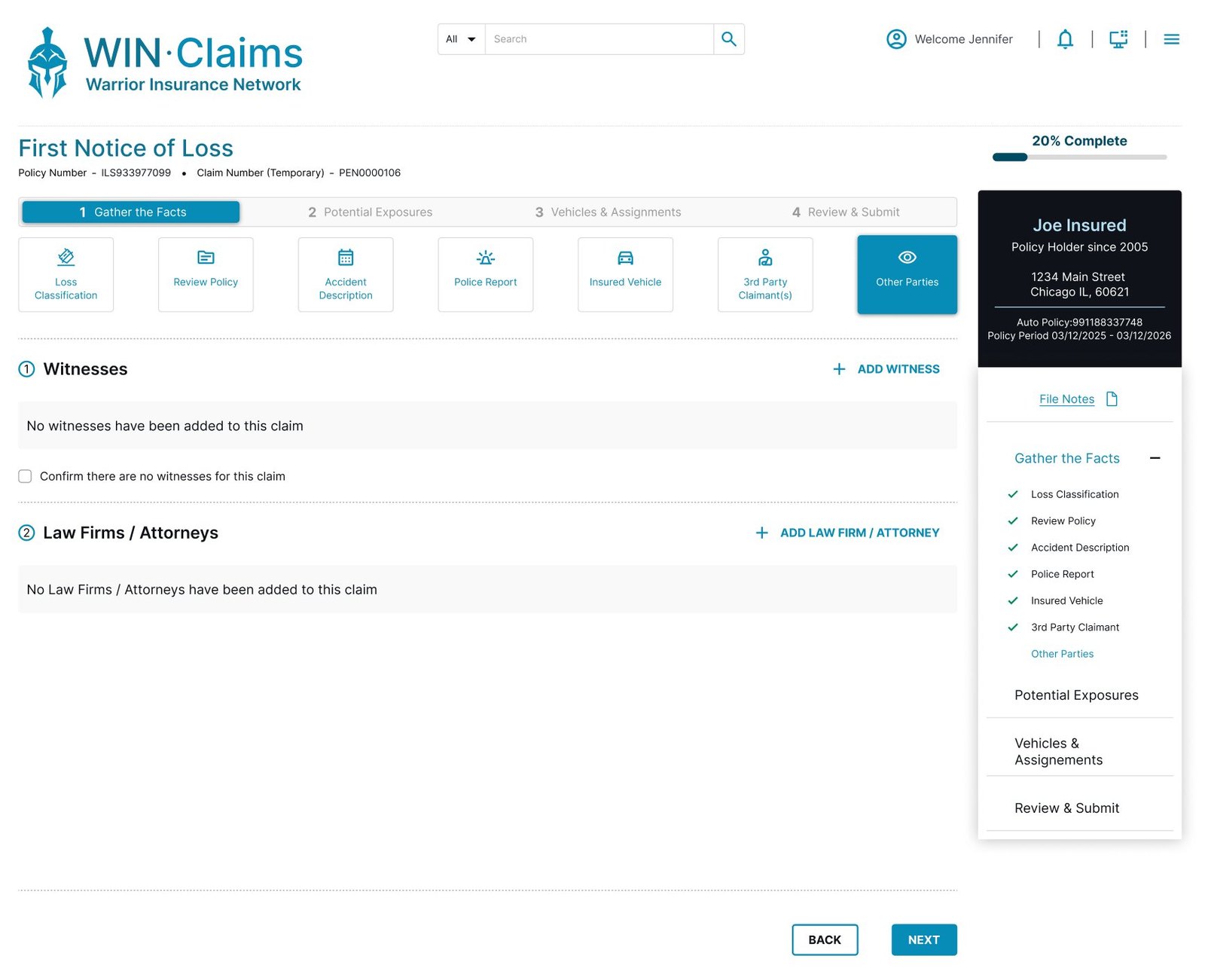
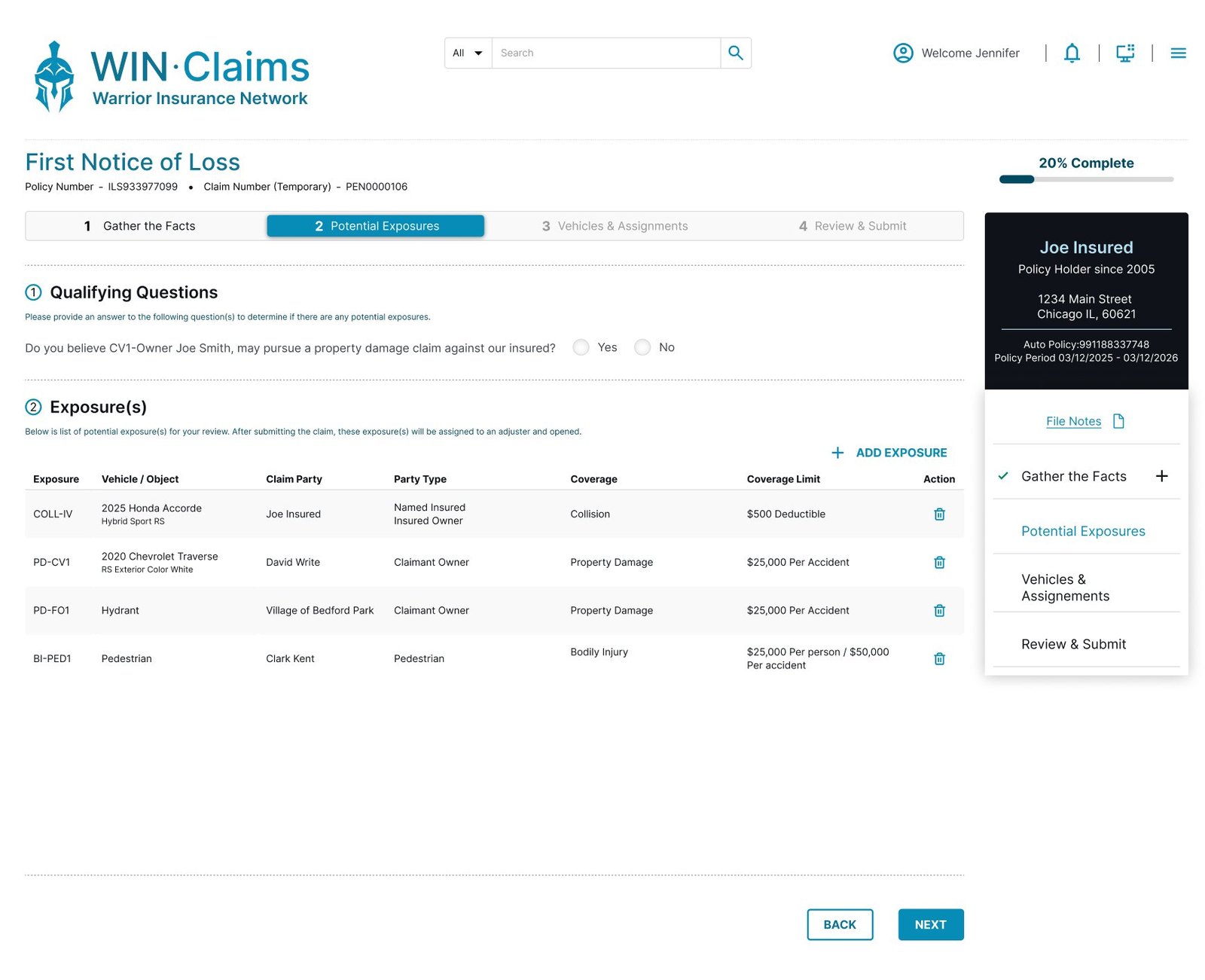
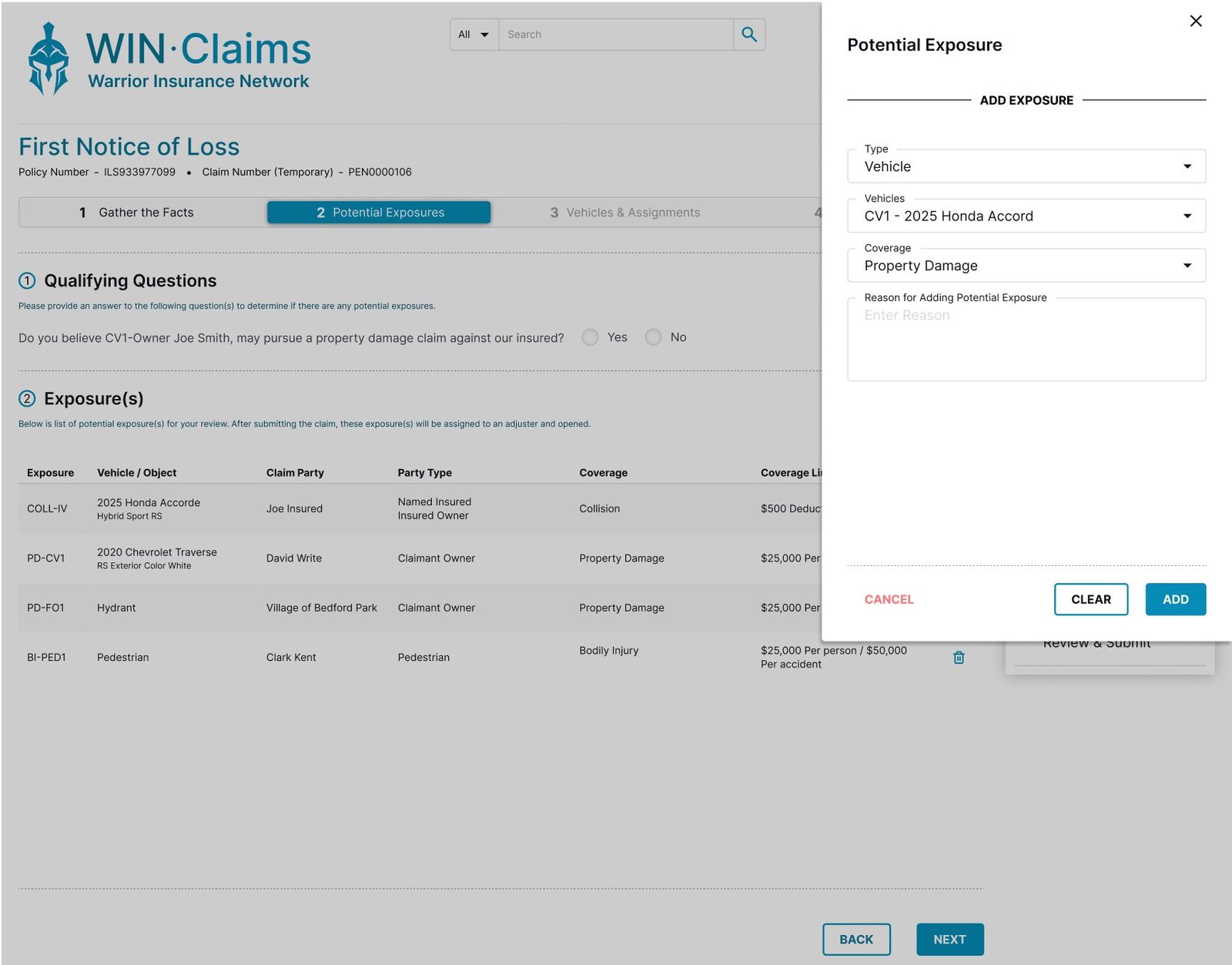
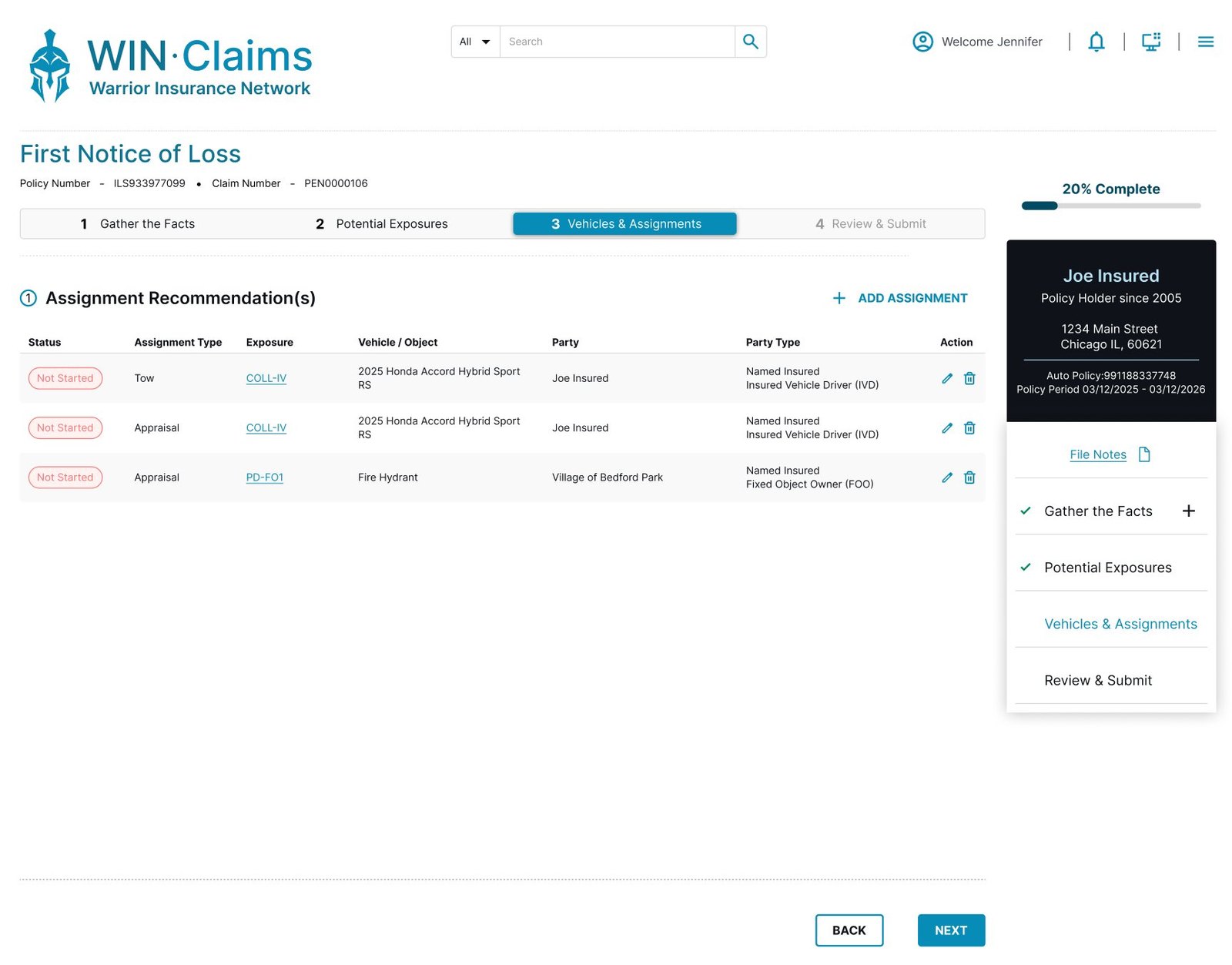
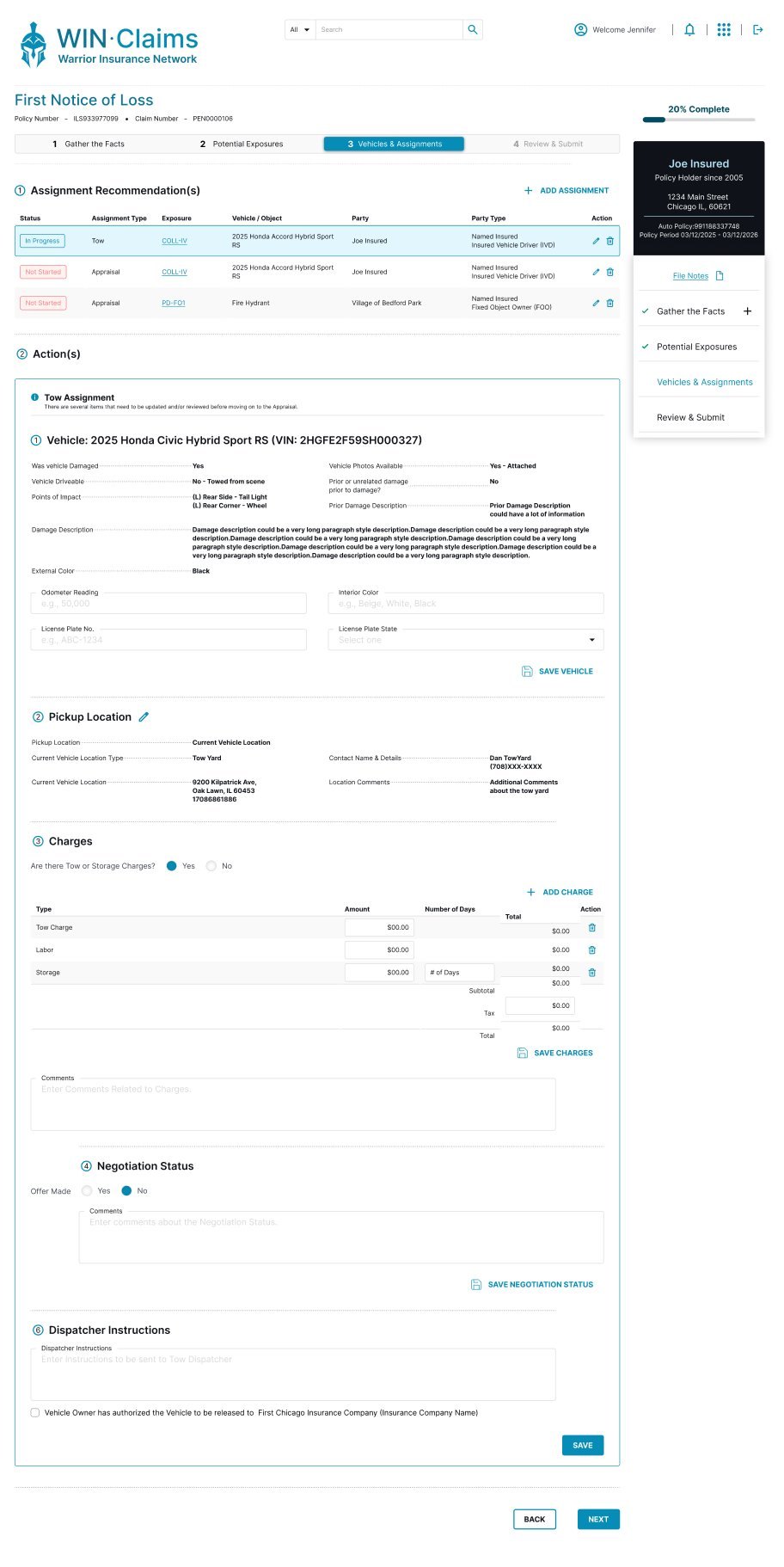
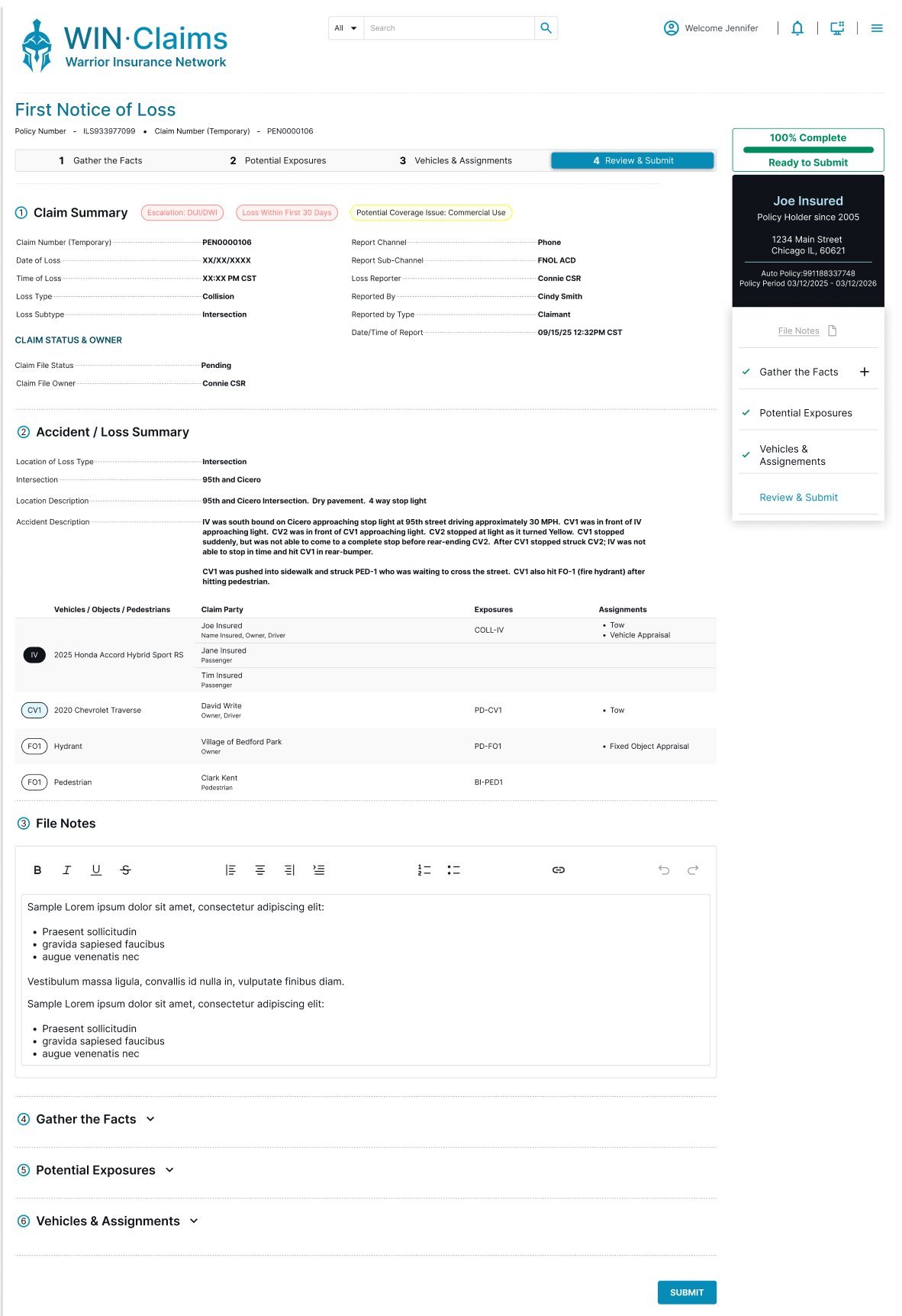
First Notice of Loss is the true capture of a claim. Claimants call into the call center and give detailed, often emotional accounts of their incident — and the agent has to record it accurately while keeping the conversation moving.
The caller takes the incident details and creates the claim.
Increase speed and efficiency through the FNOL process while collecting complete, accurate detail.
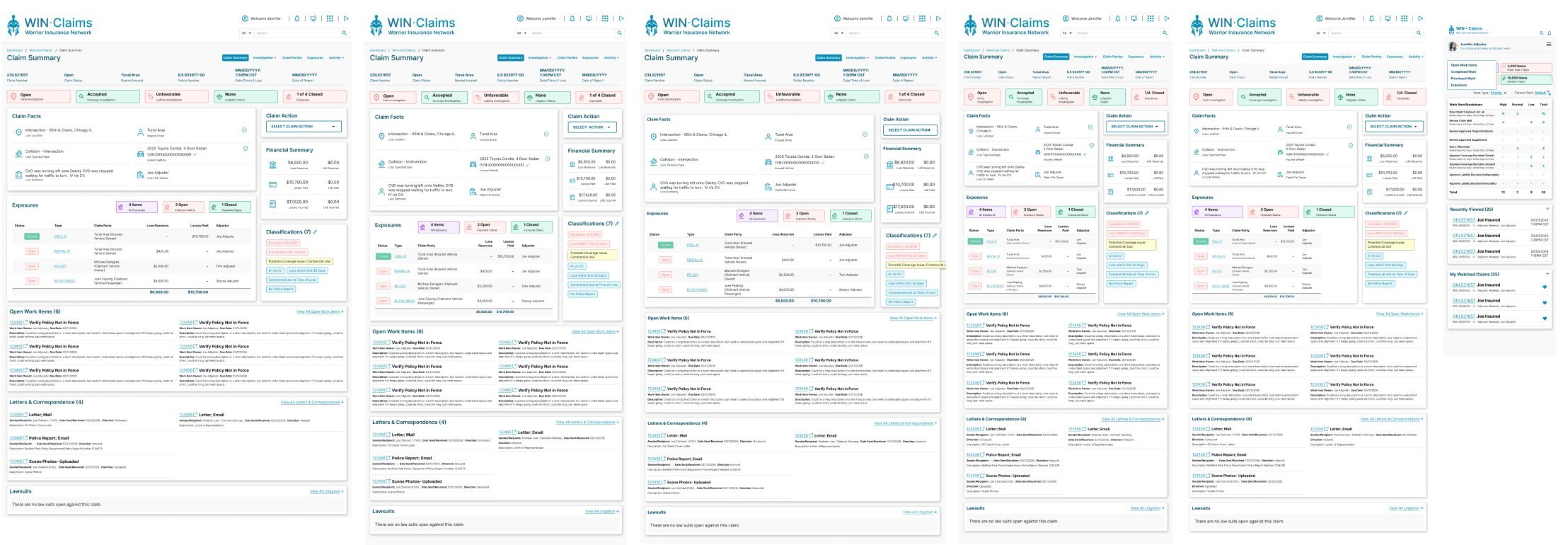
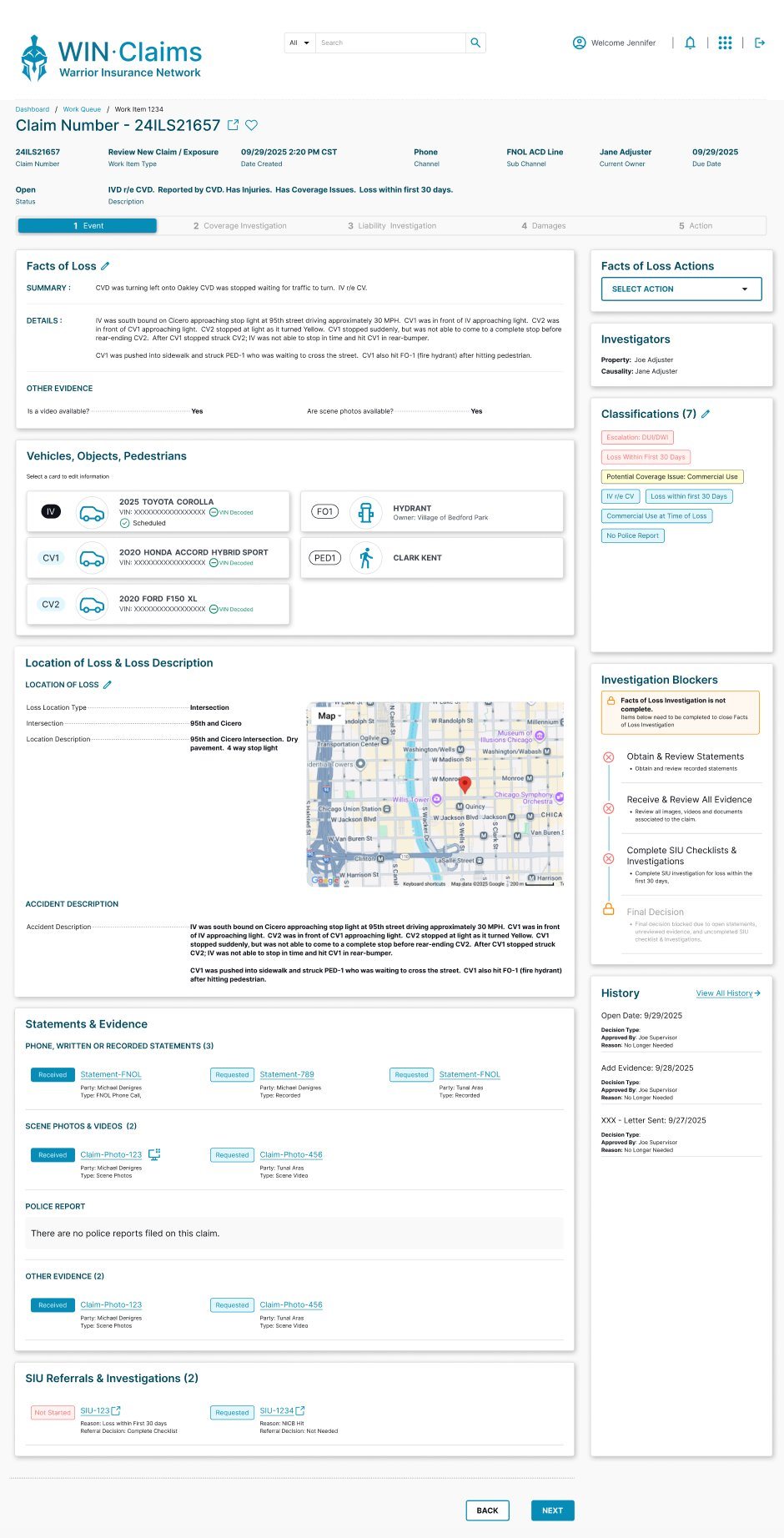
Claim File, Post-FNOL — initial set-up. Once the call is captured, the claim file is built out across its core pages: Facts of Loss, Coverage, Liability, Claim Parties, and Exposure.
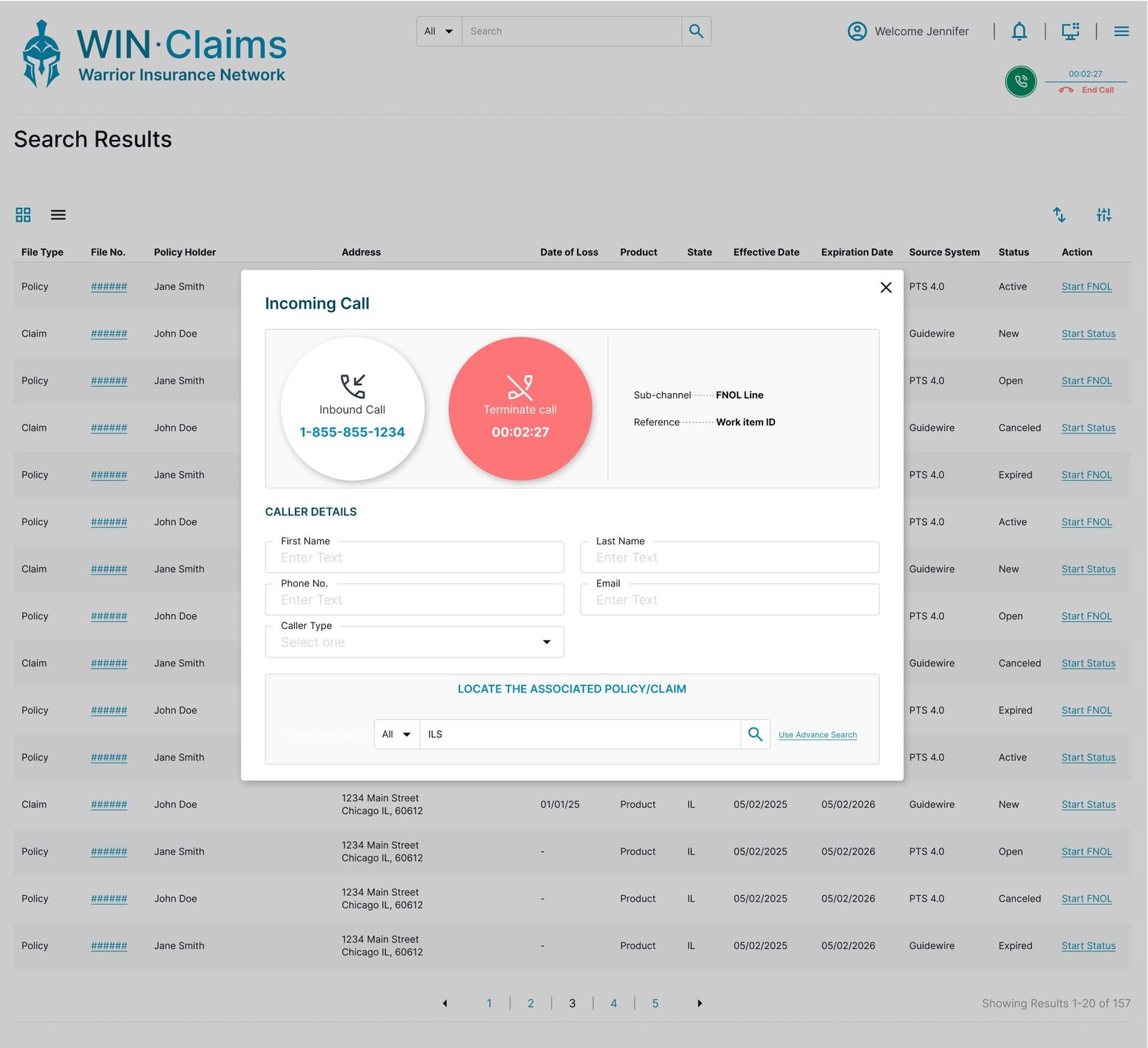
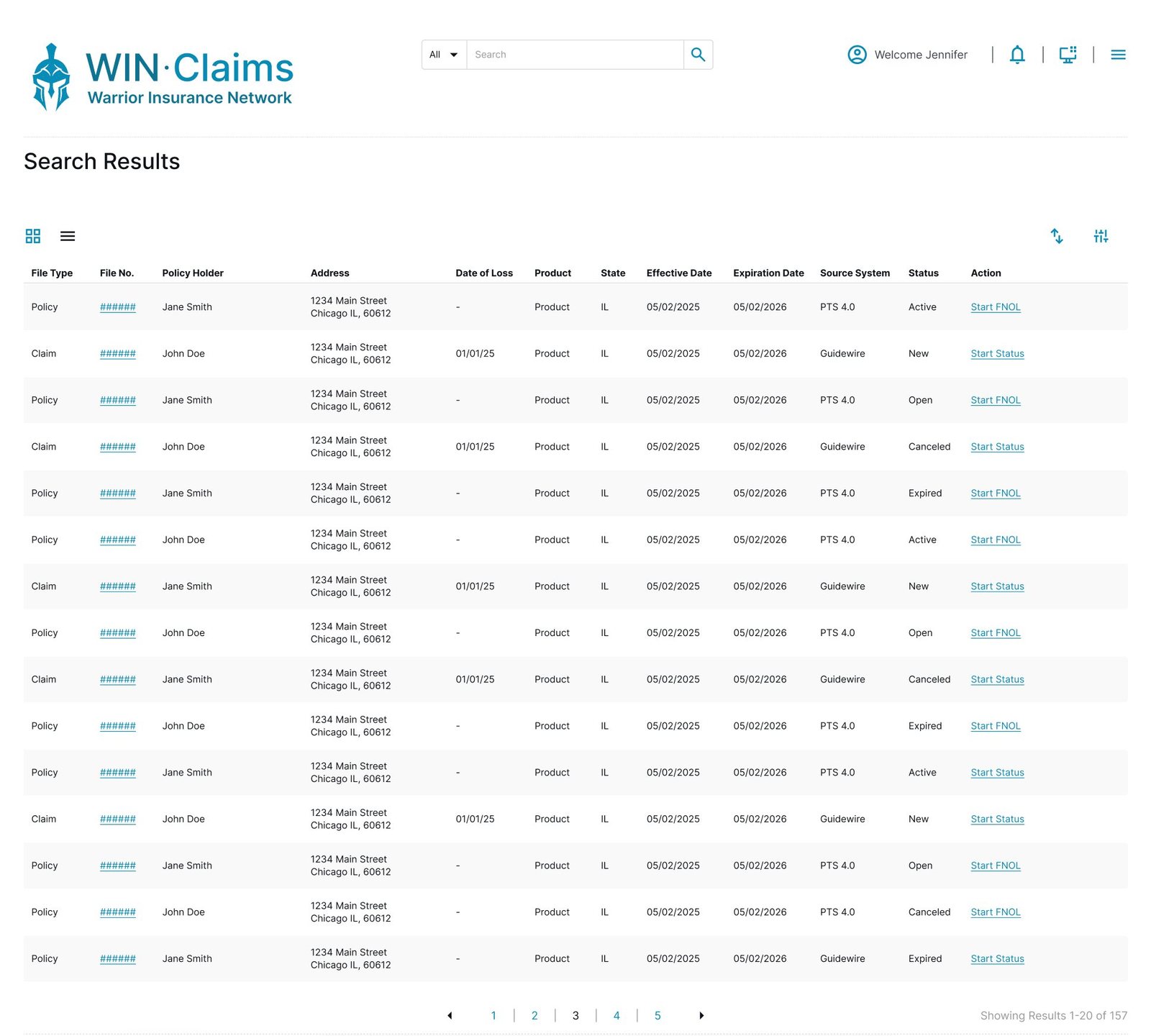
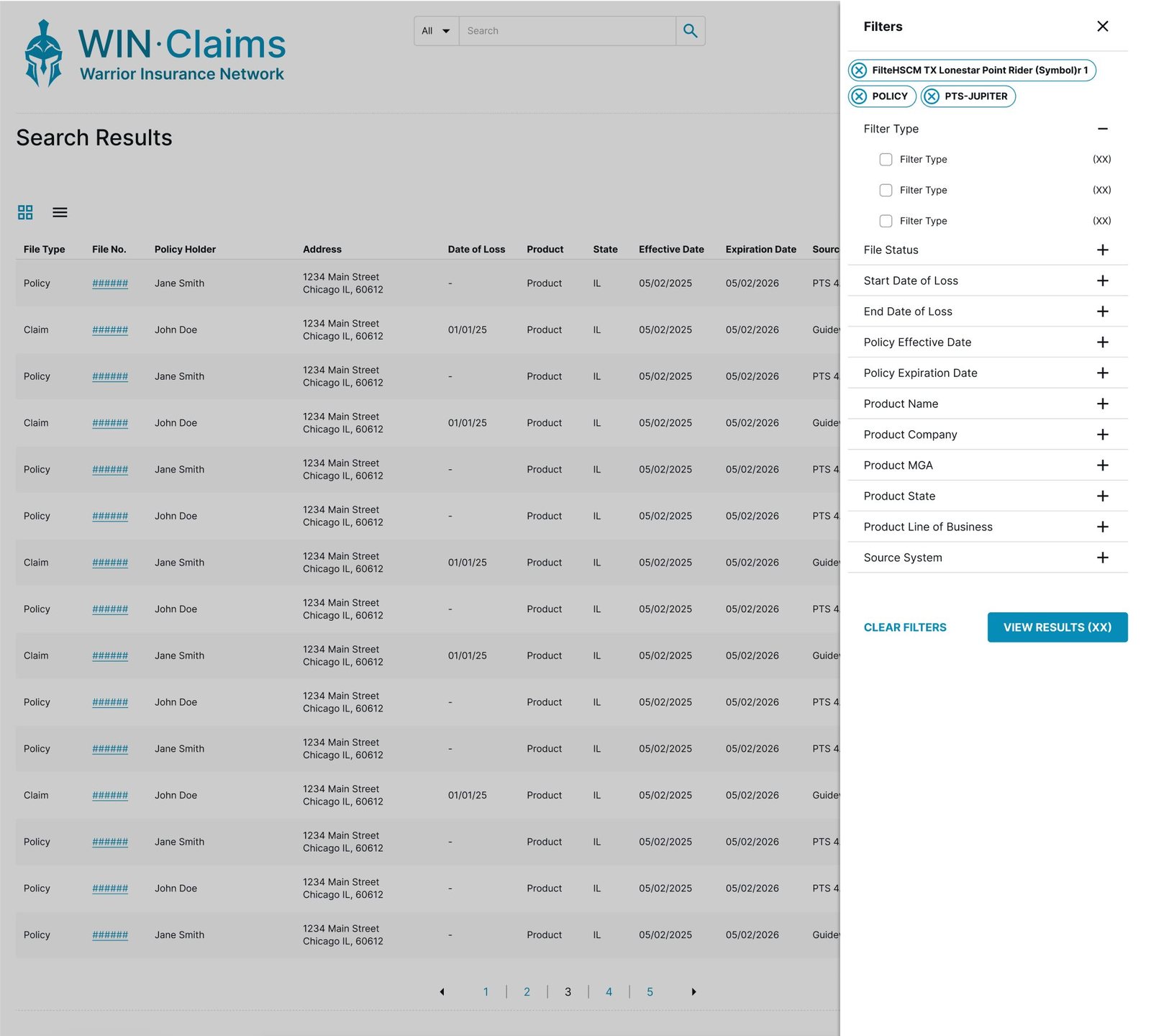
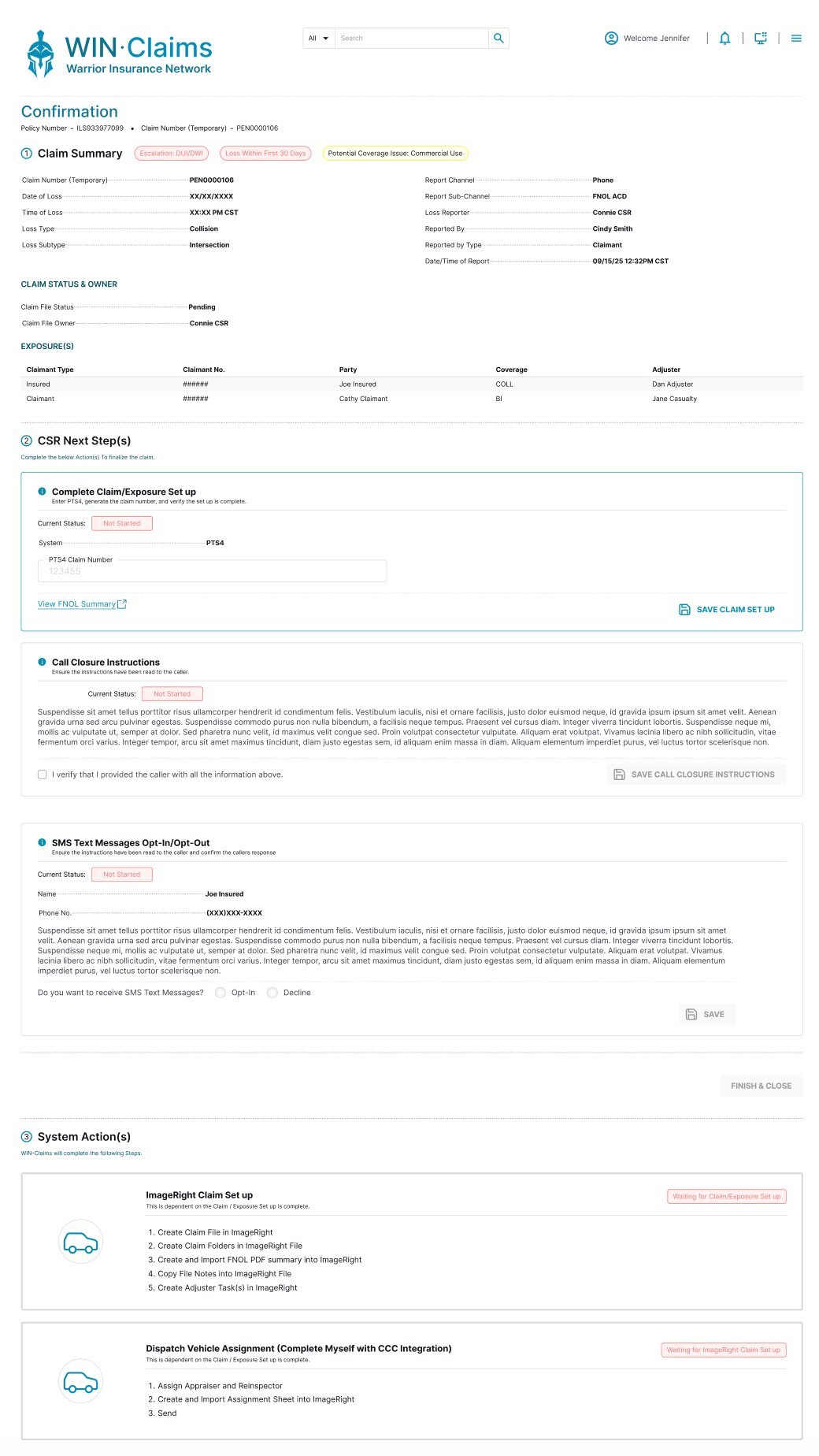
The dashboard gives each Claim File Owner a single place to see what needs attention. A focused work queue organizes their active claims, so nothing slips and priorities stay visible.
The adjuster works through the facts of the investigation and makes their recommendation on the payout.
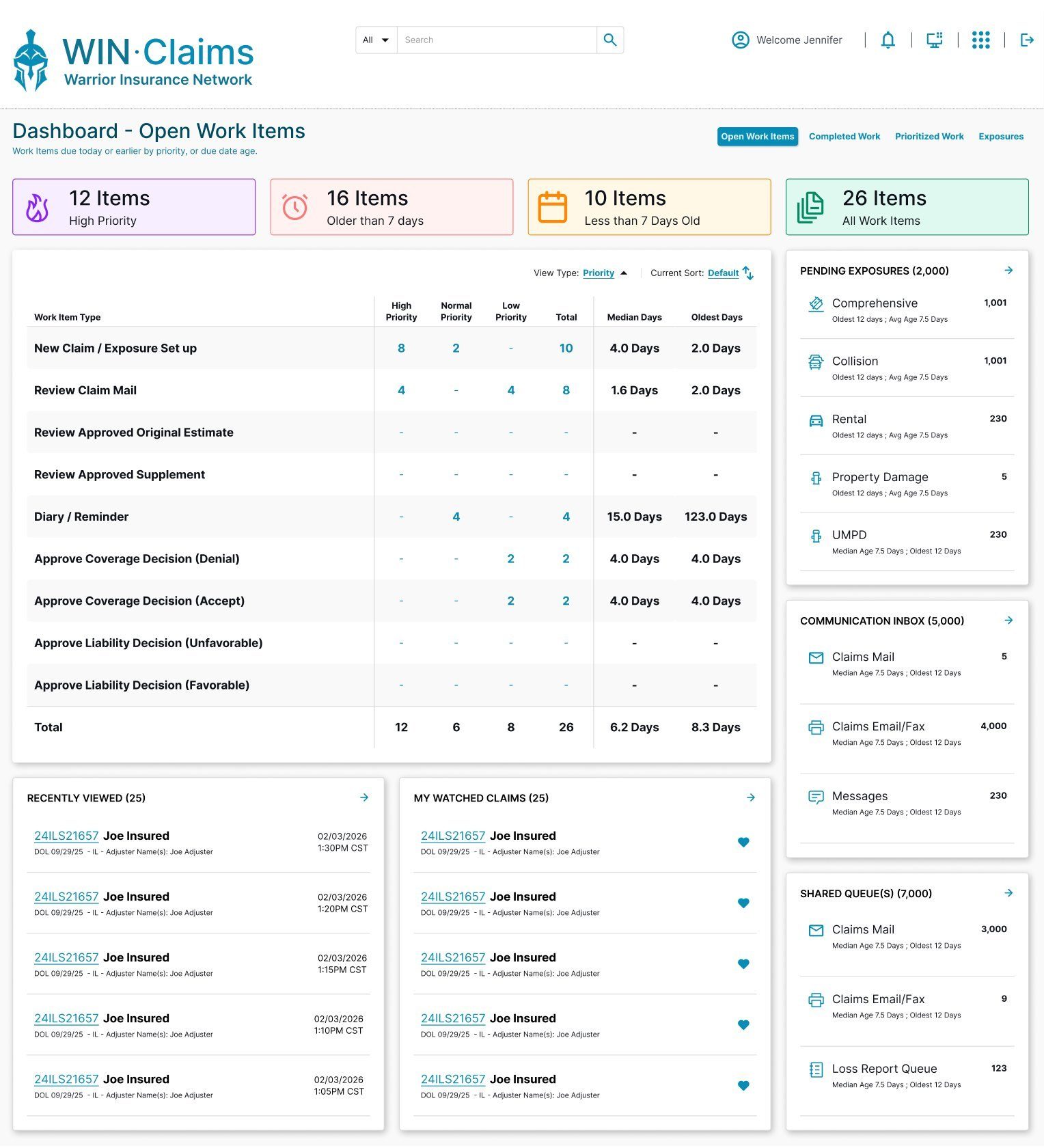
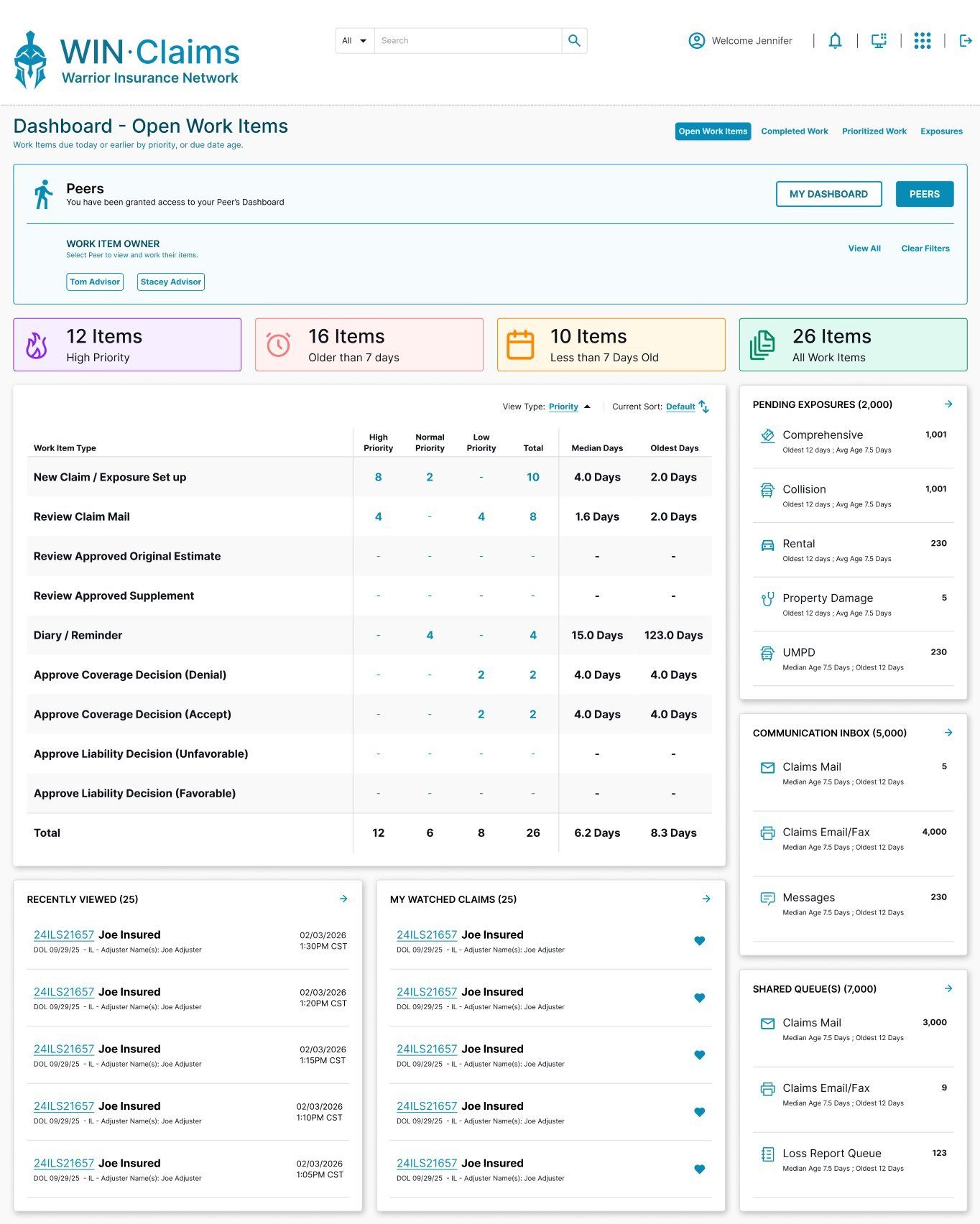
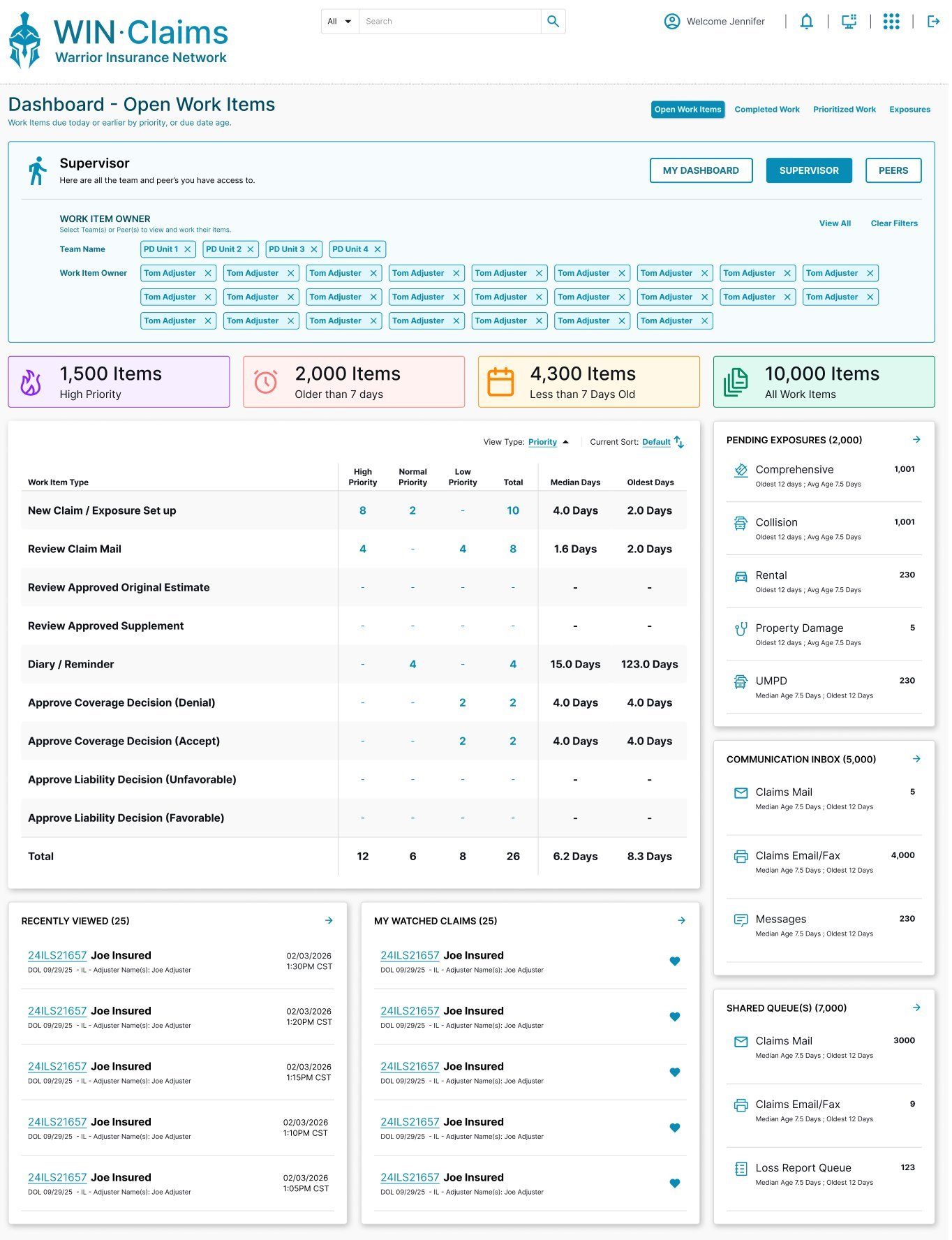
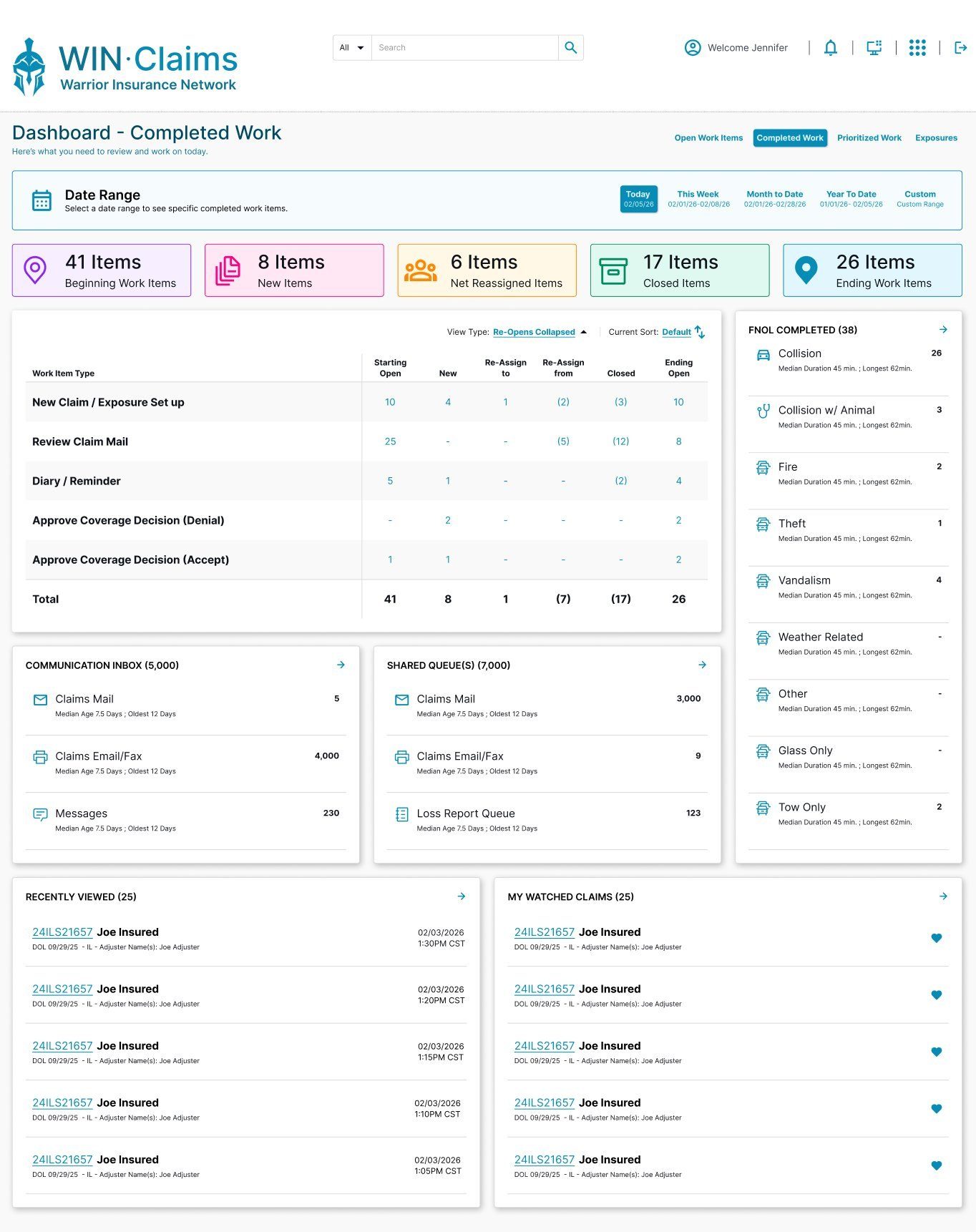
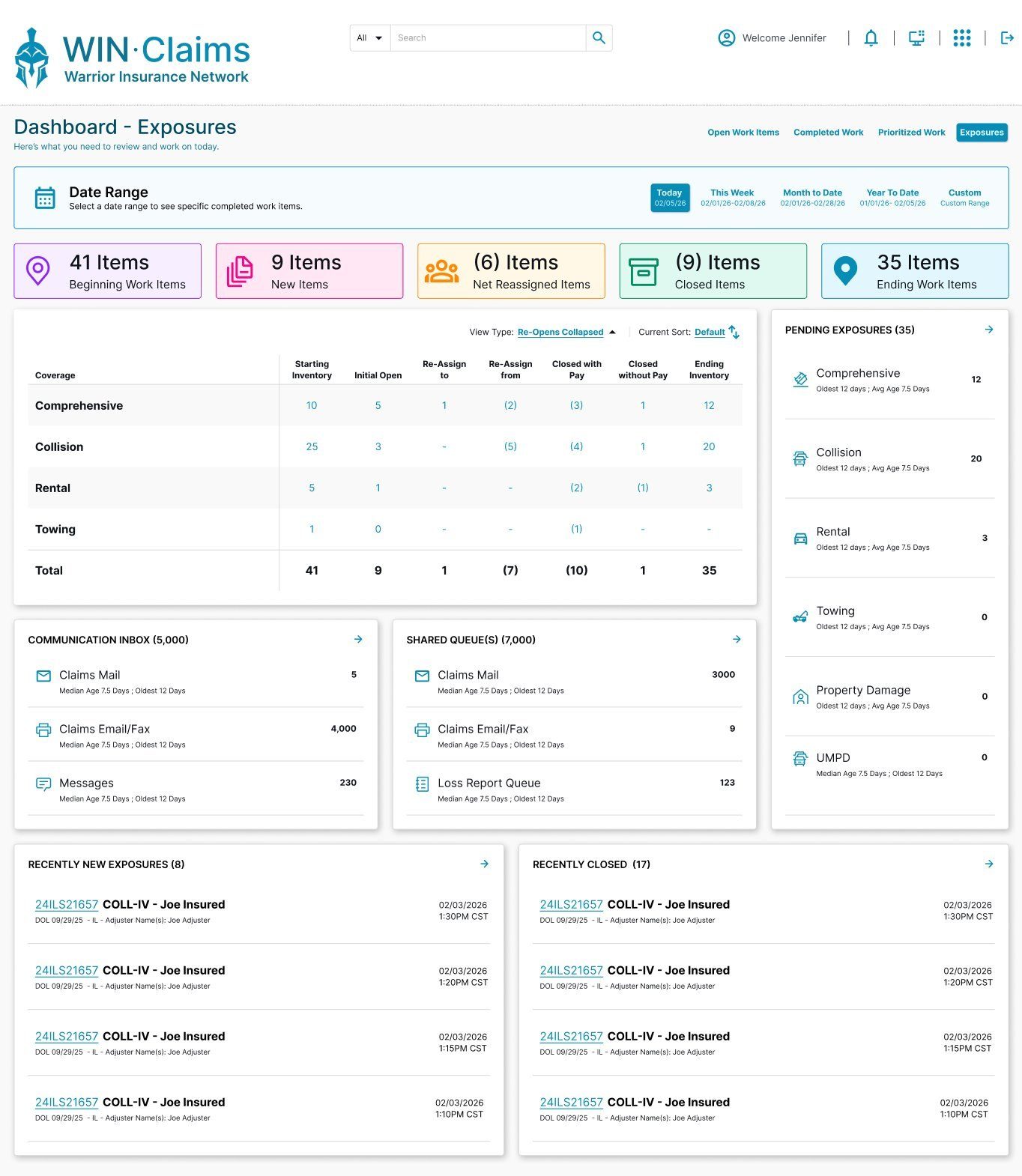
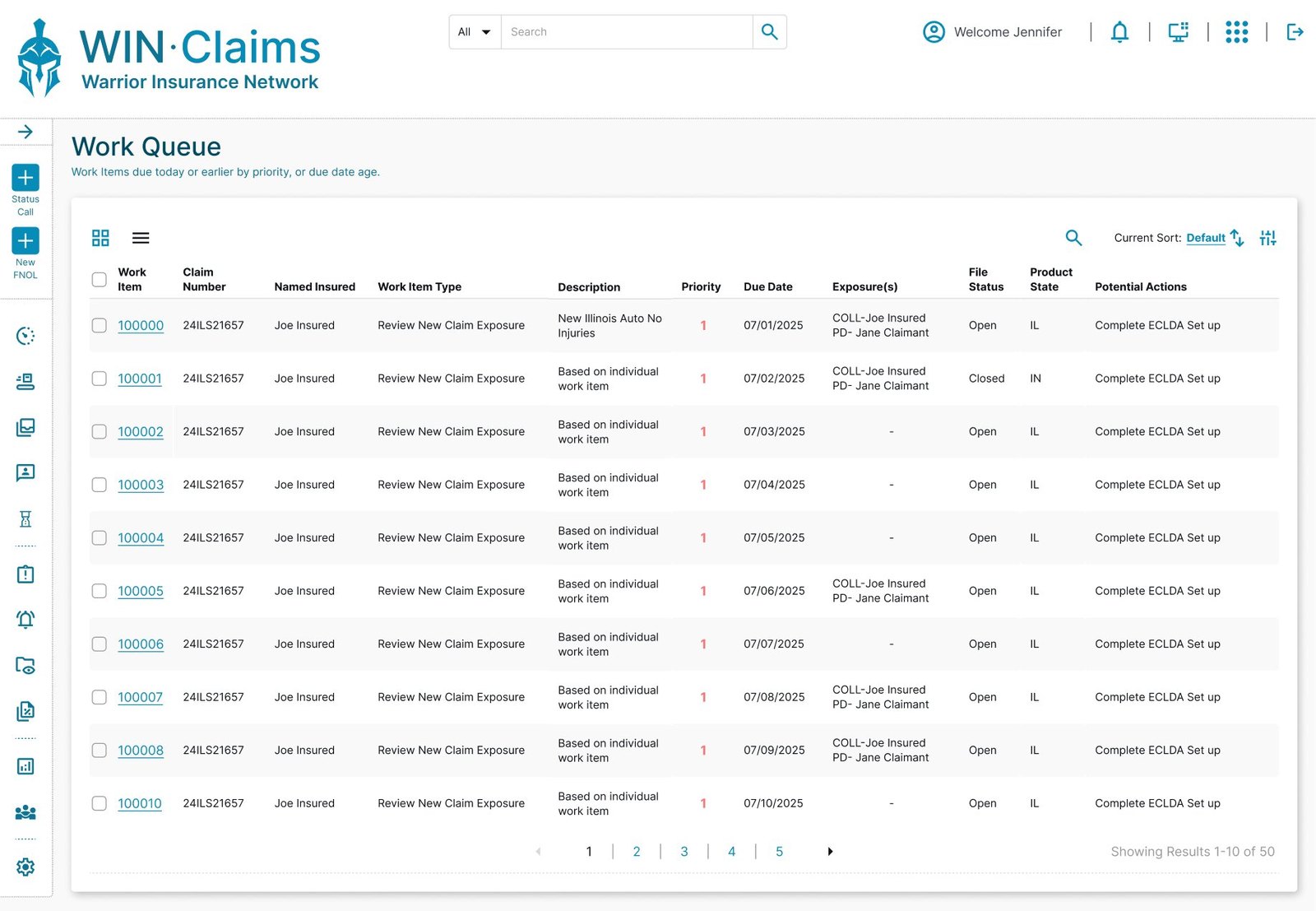
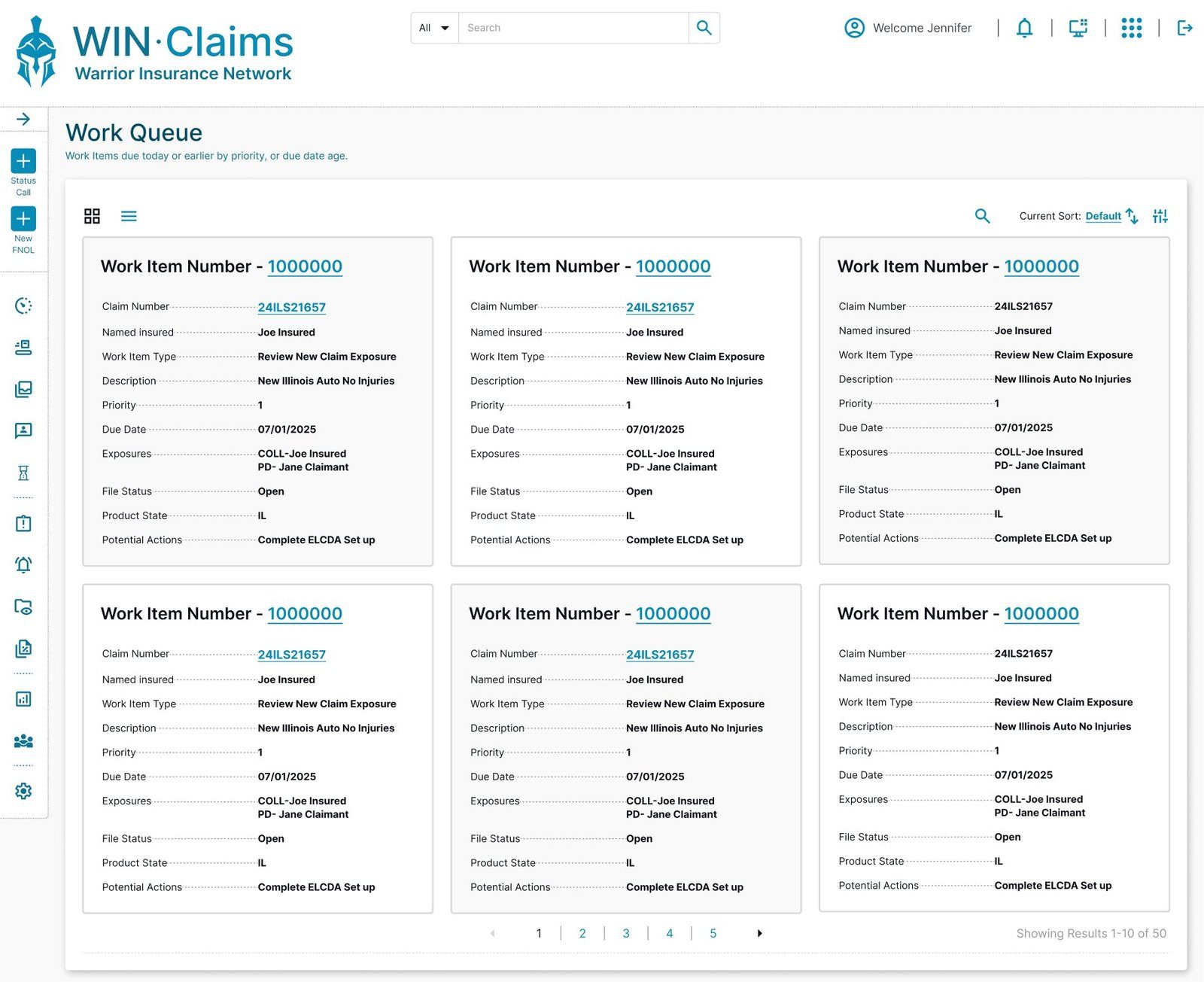
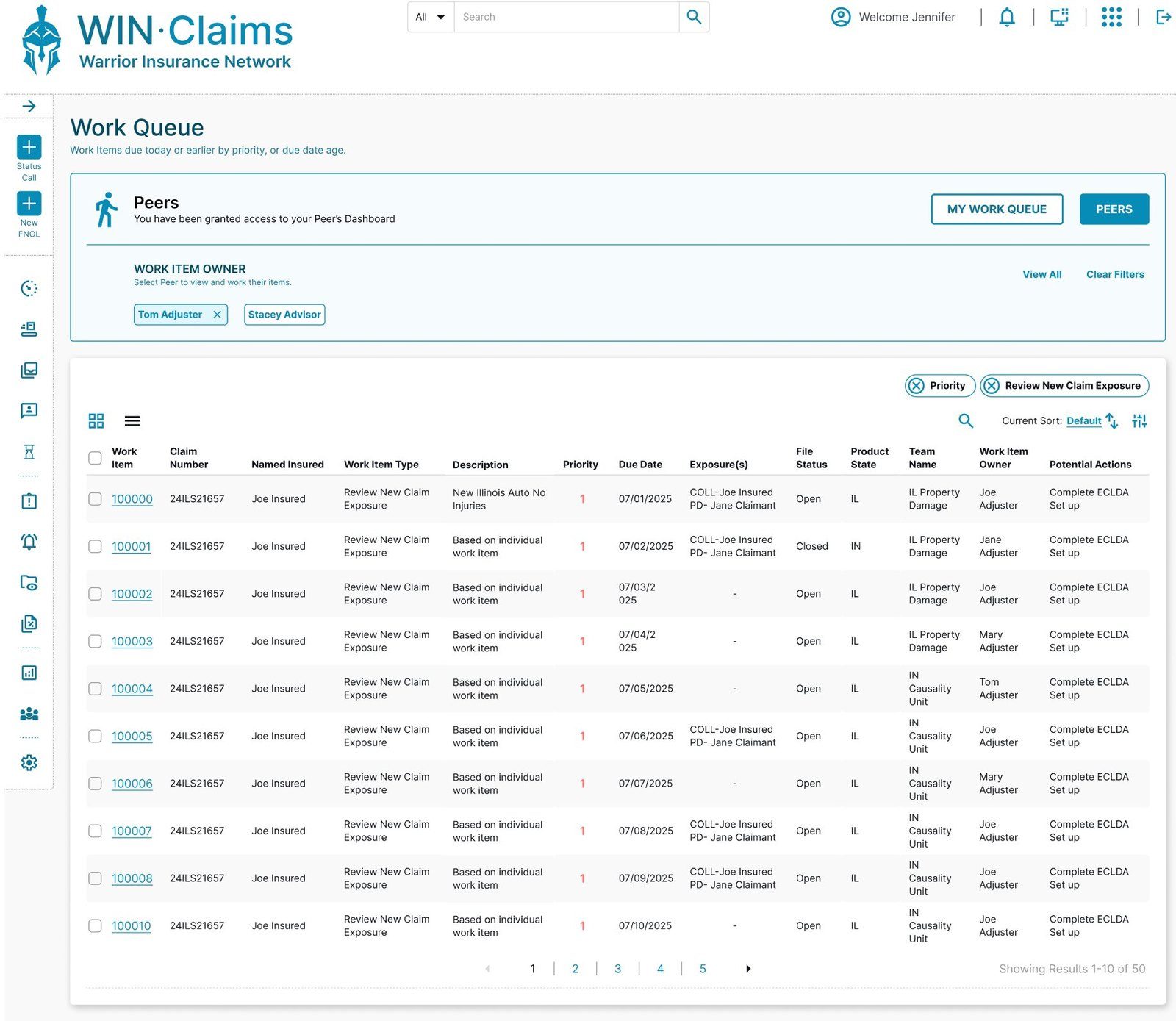
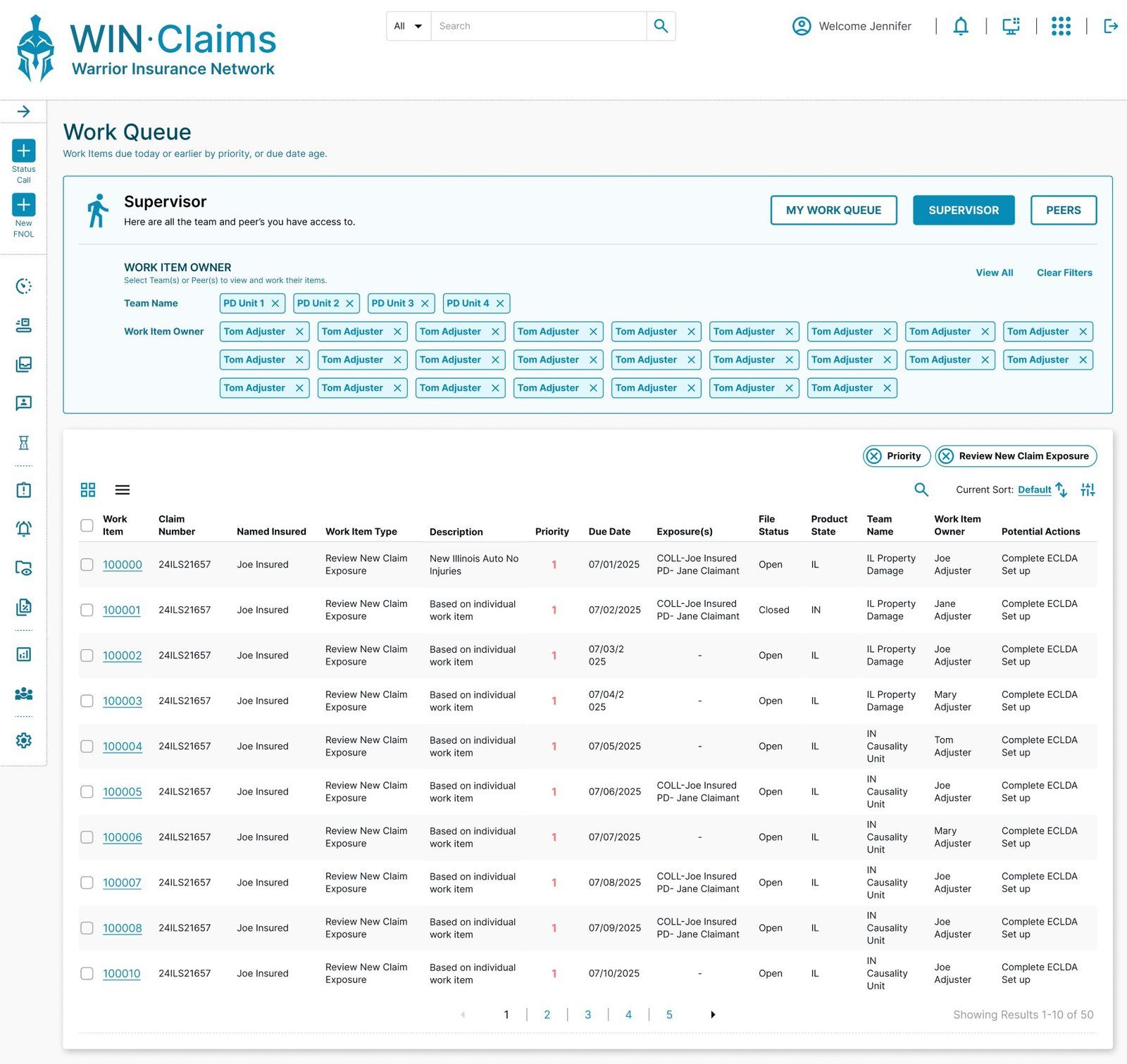
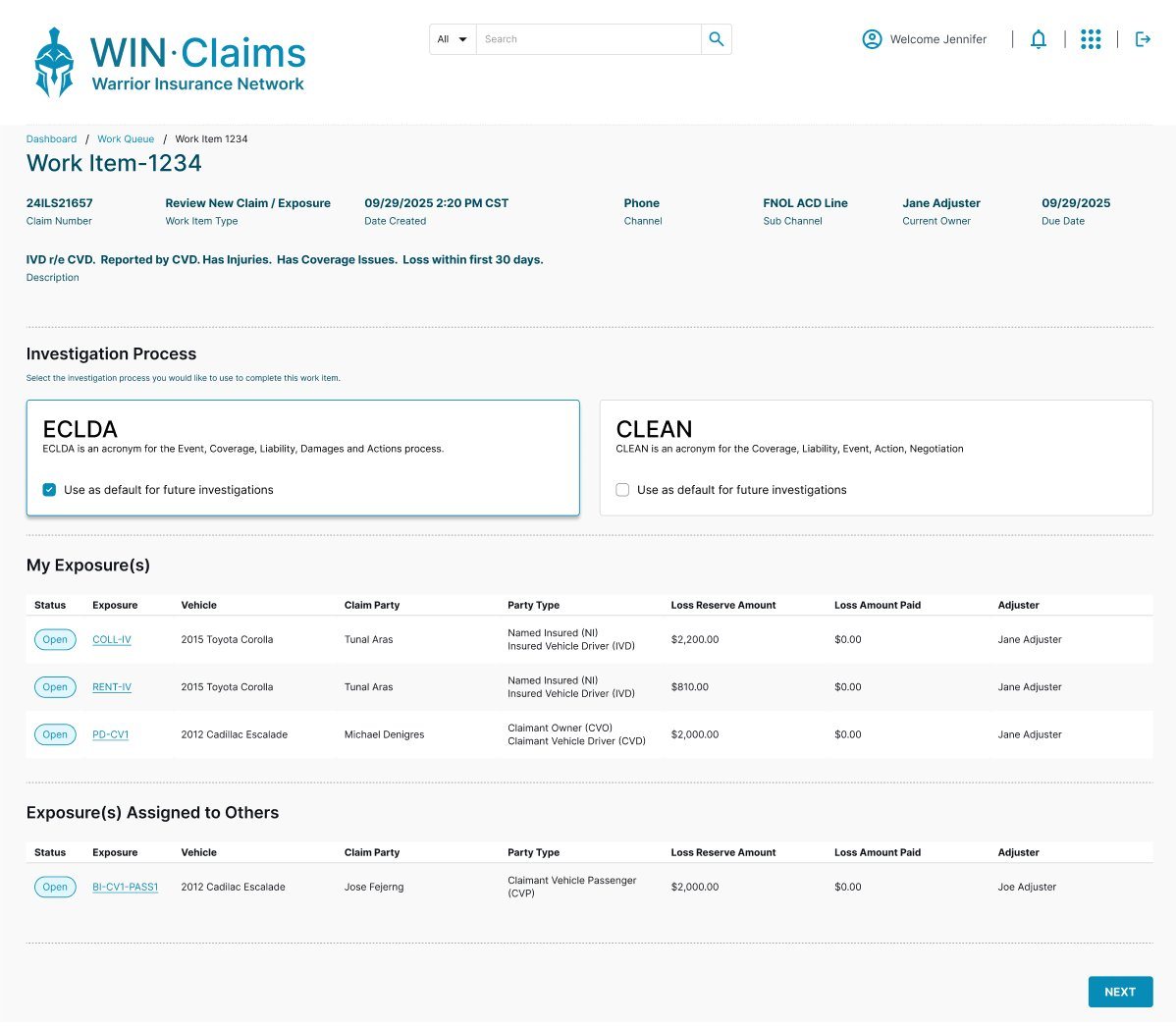
With the file established, the adjuster works through it as a series of structured work items — each step of the investigation given a clear, consistent place in the interface.
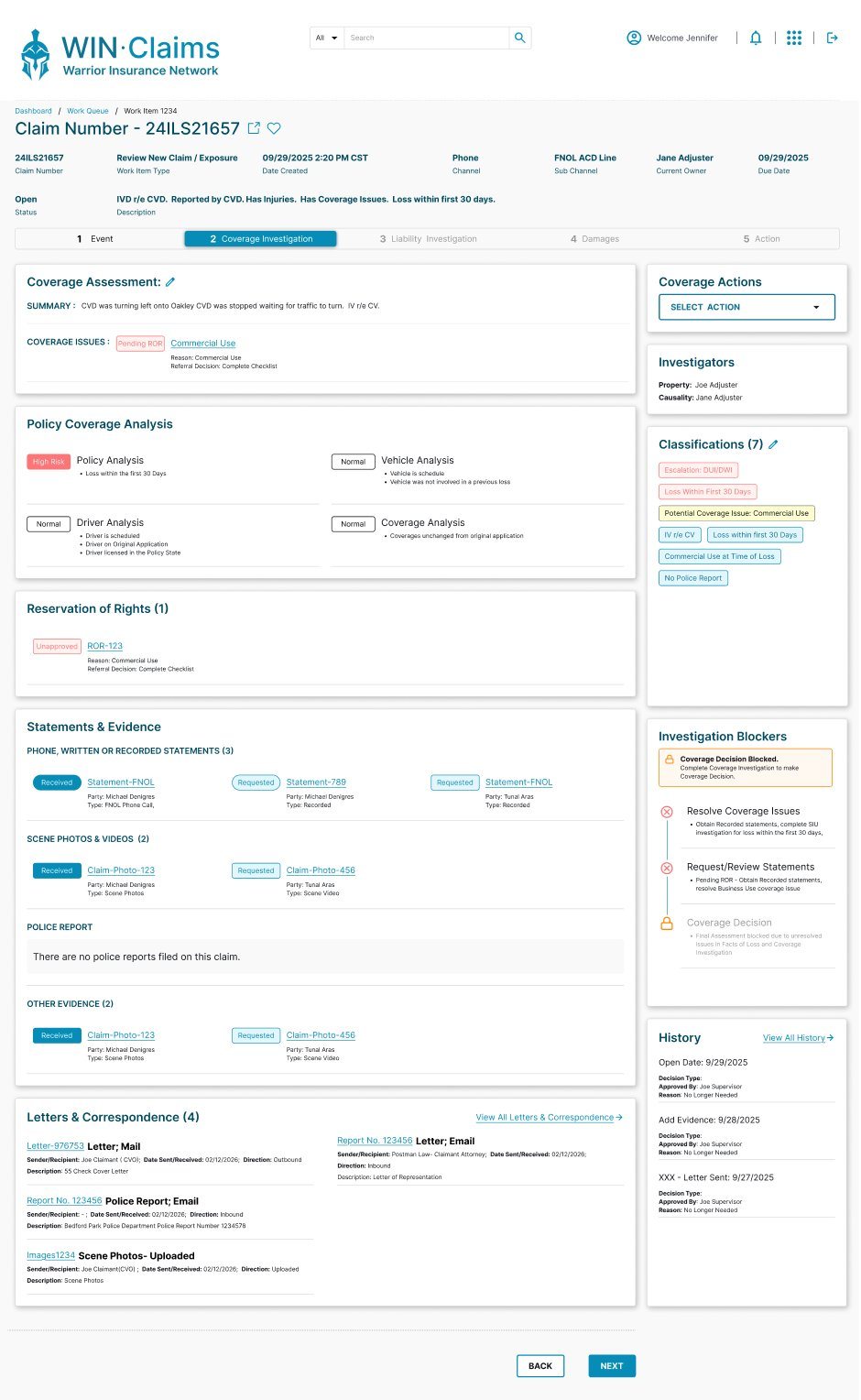
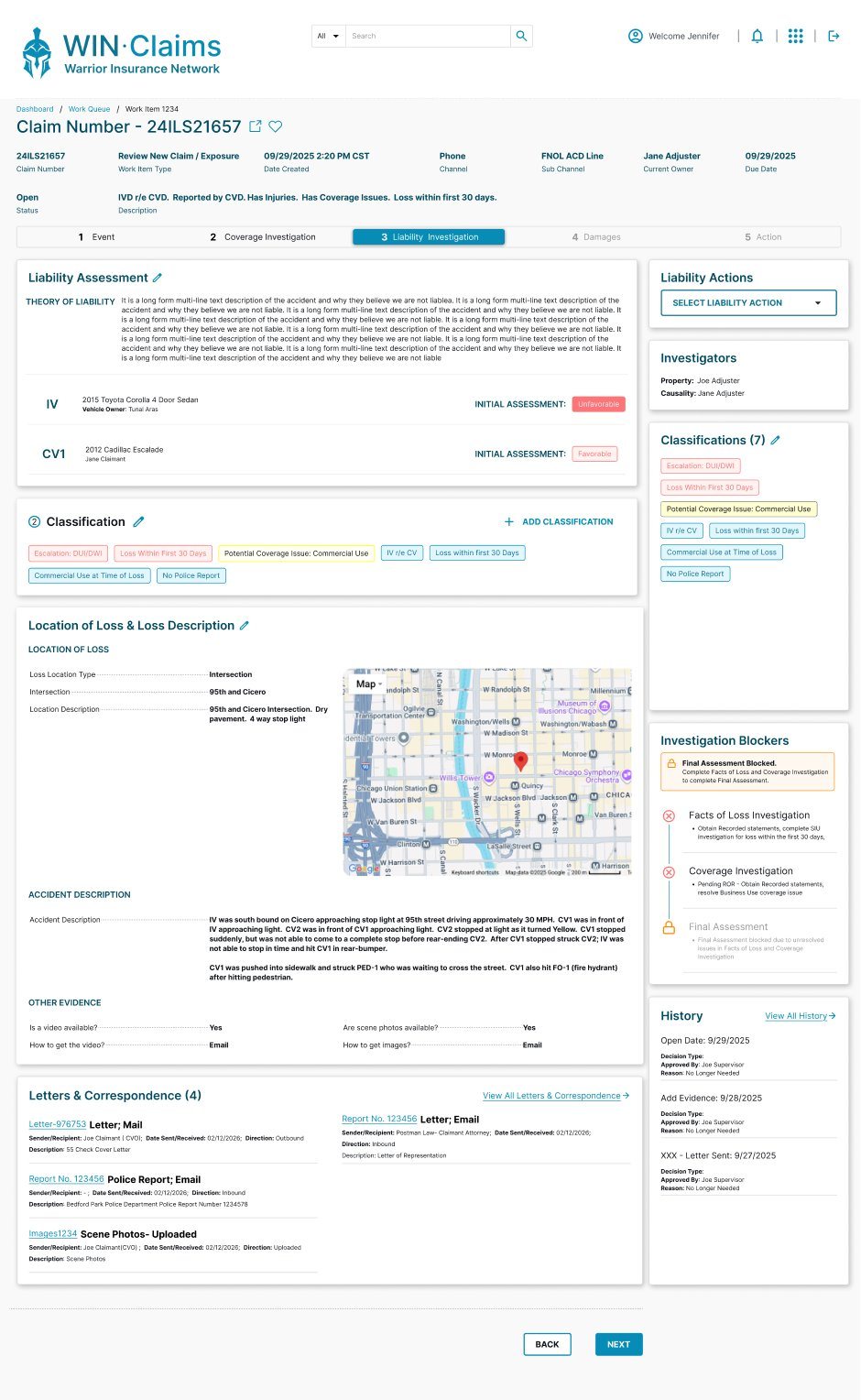
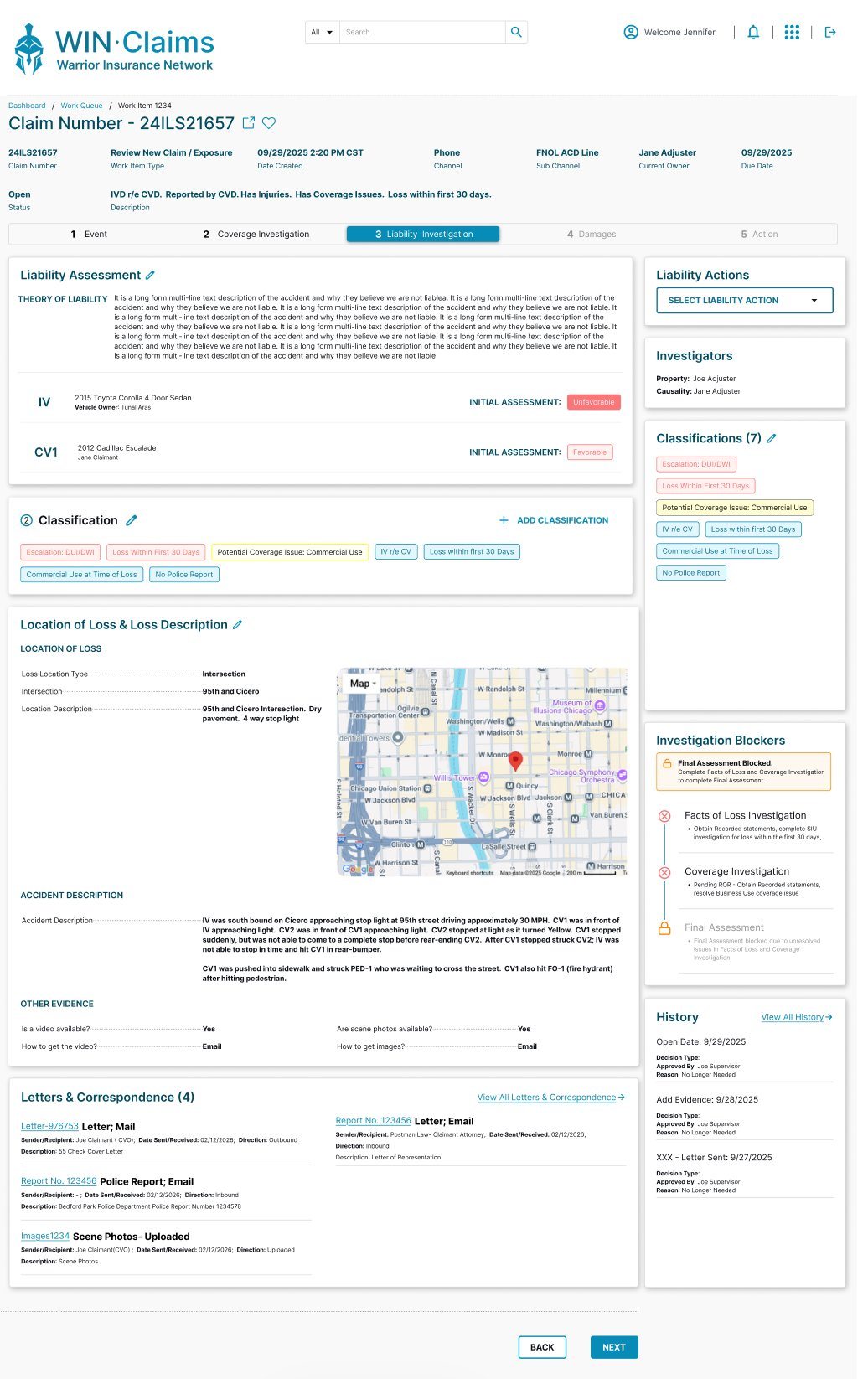
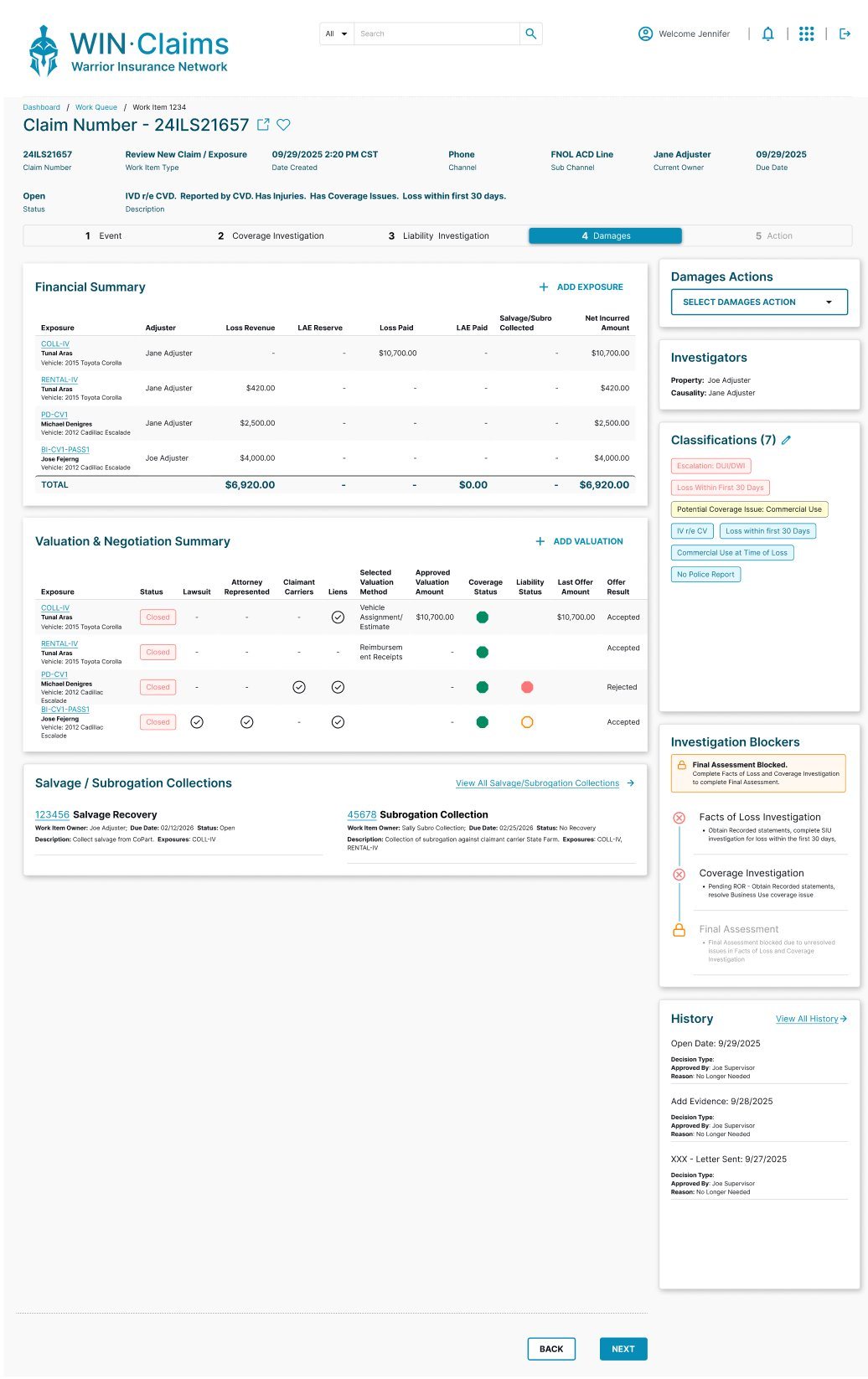
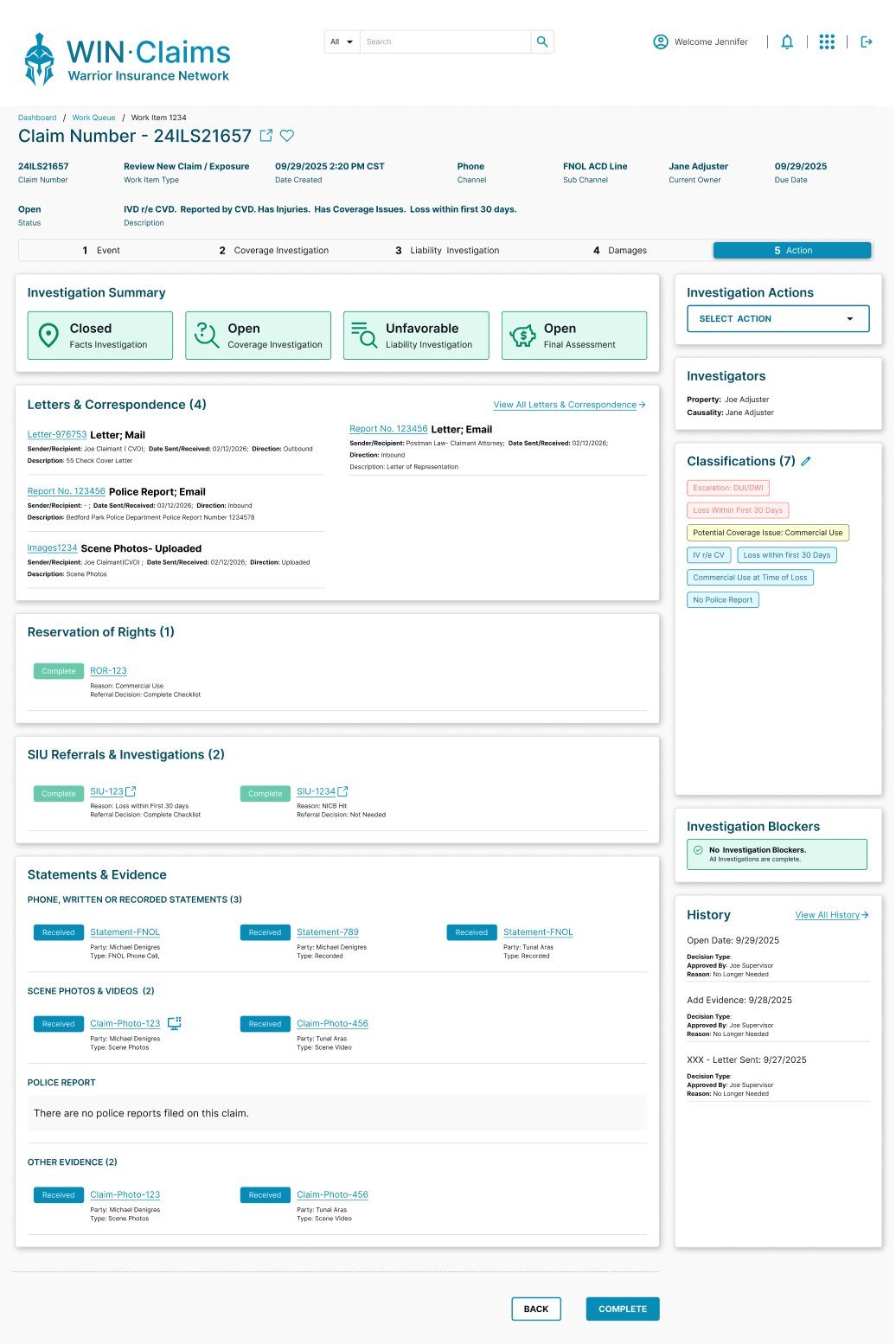
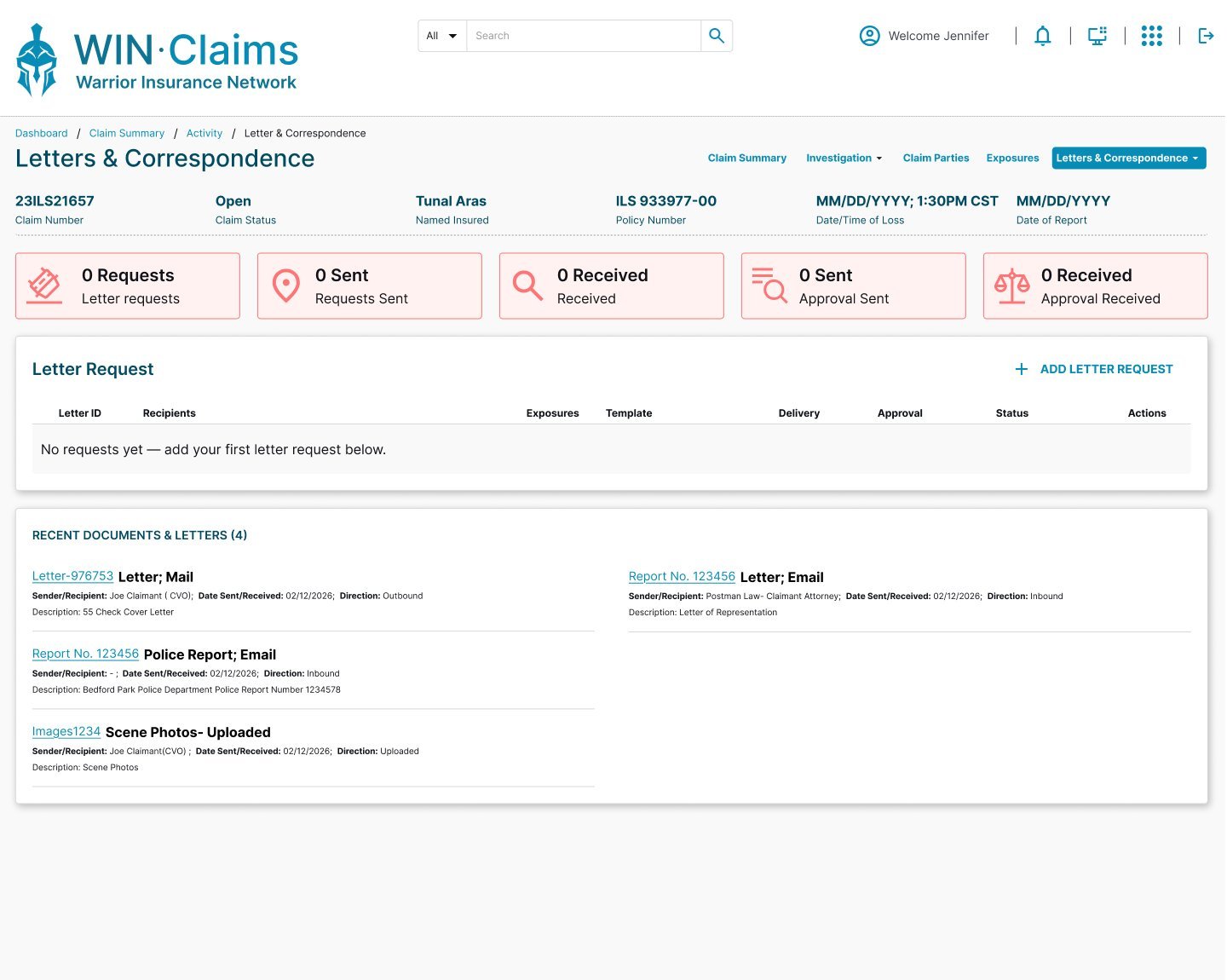
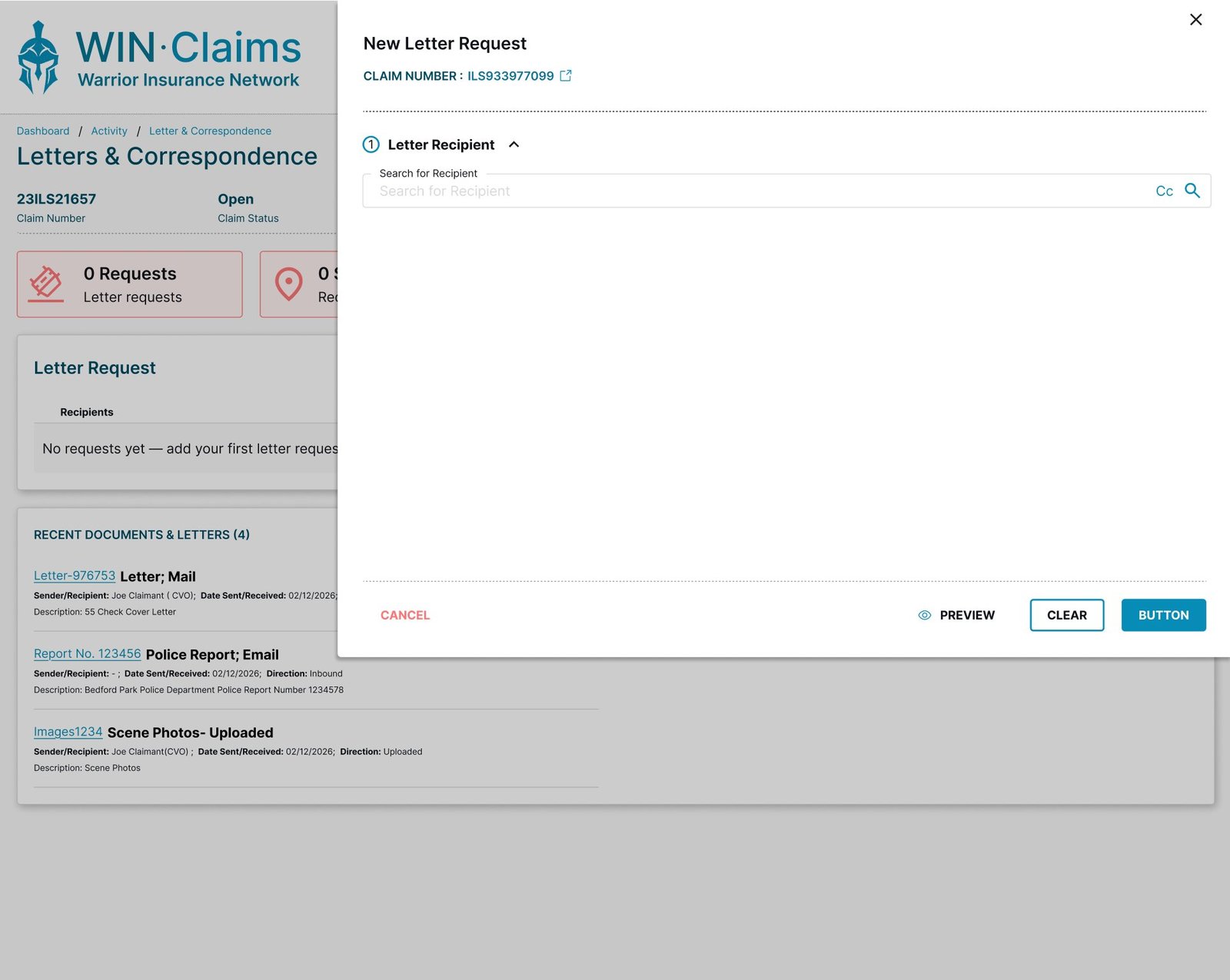
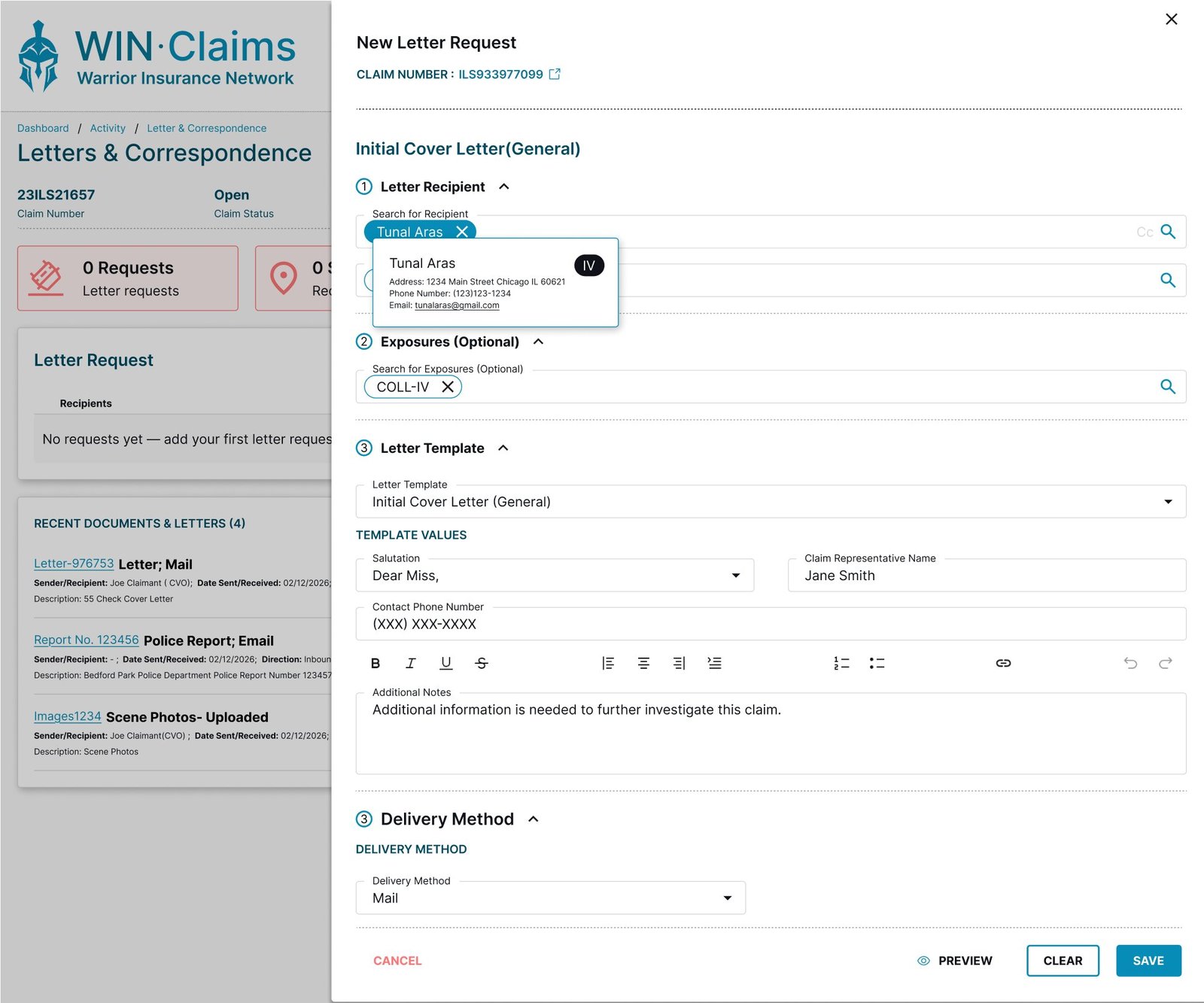
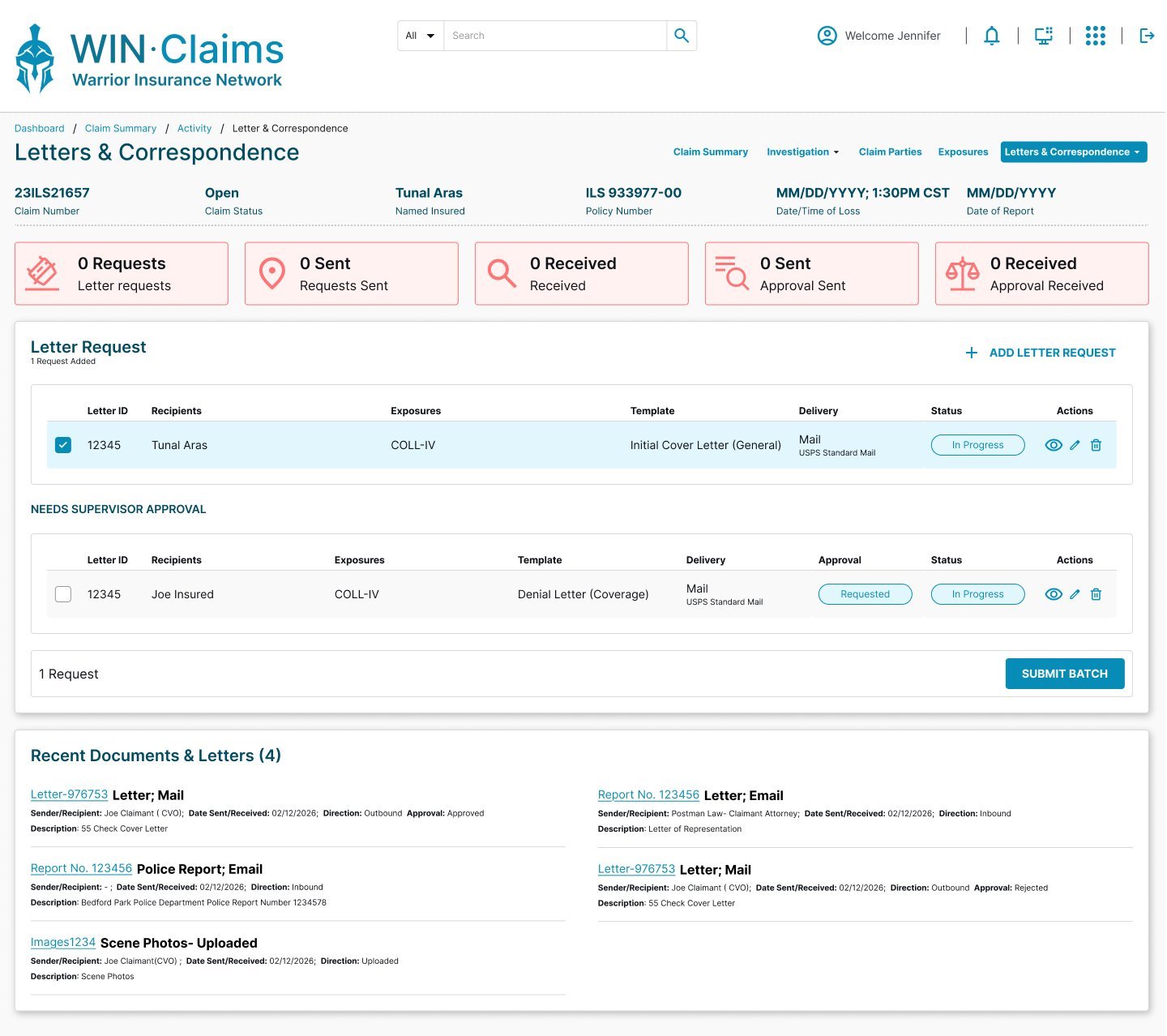
Claims generate formal correspondence at many points. The Letters experience brings this into the platform — a dashboard to track letters, a drawer progression to move through them step by step, and a focused review before anything is sent.
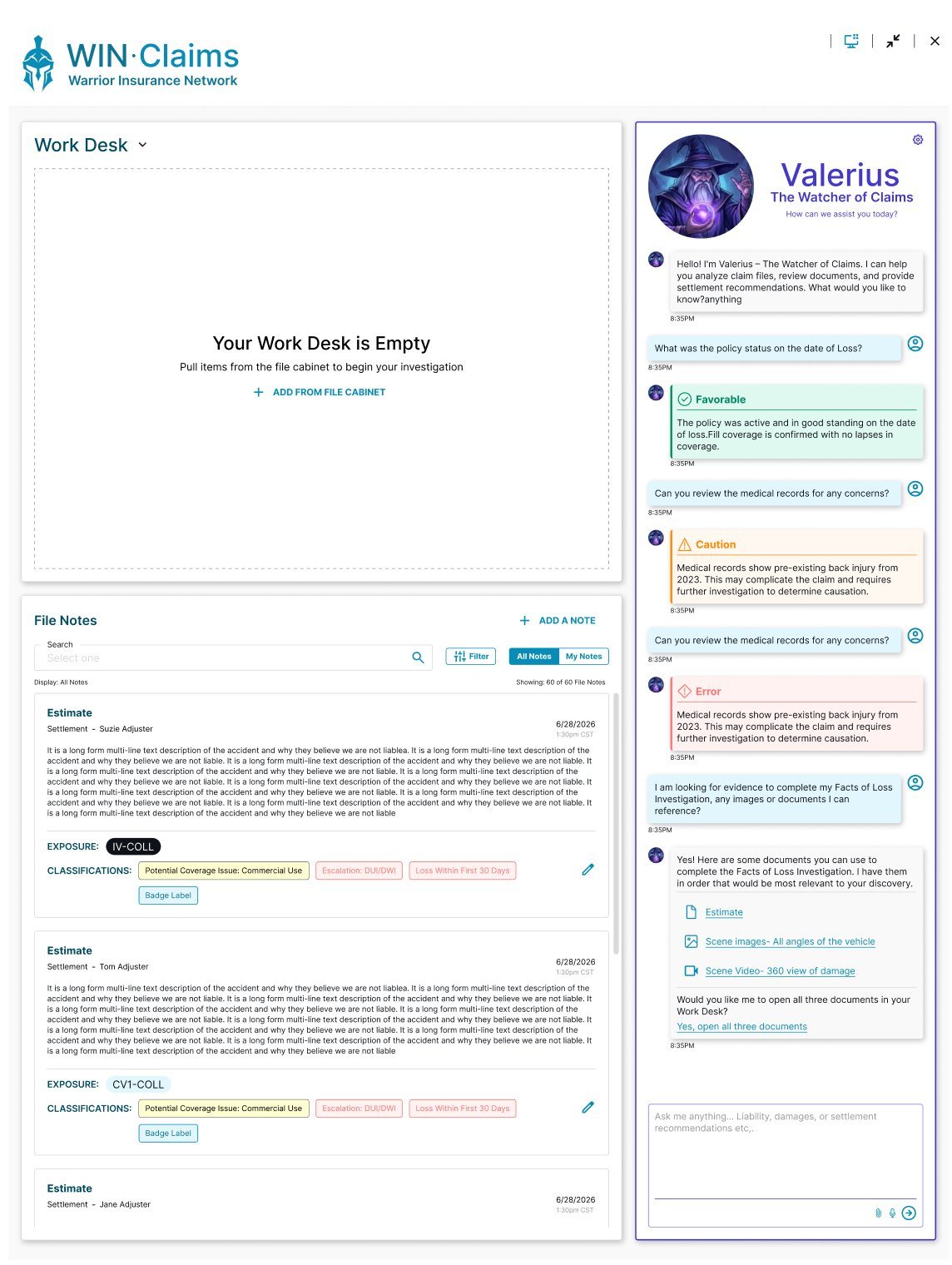
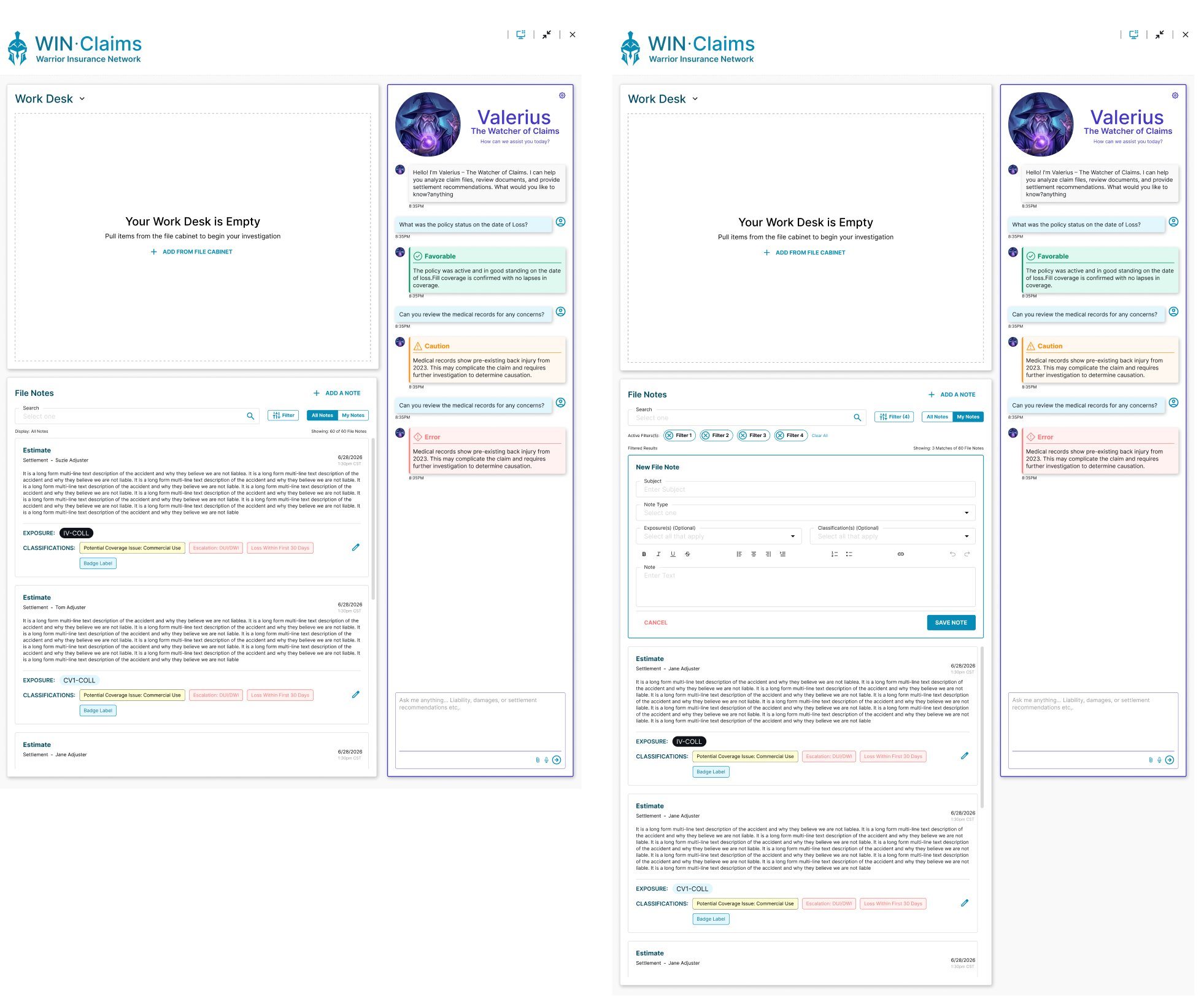
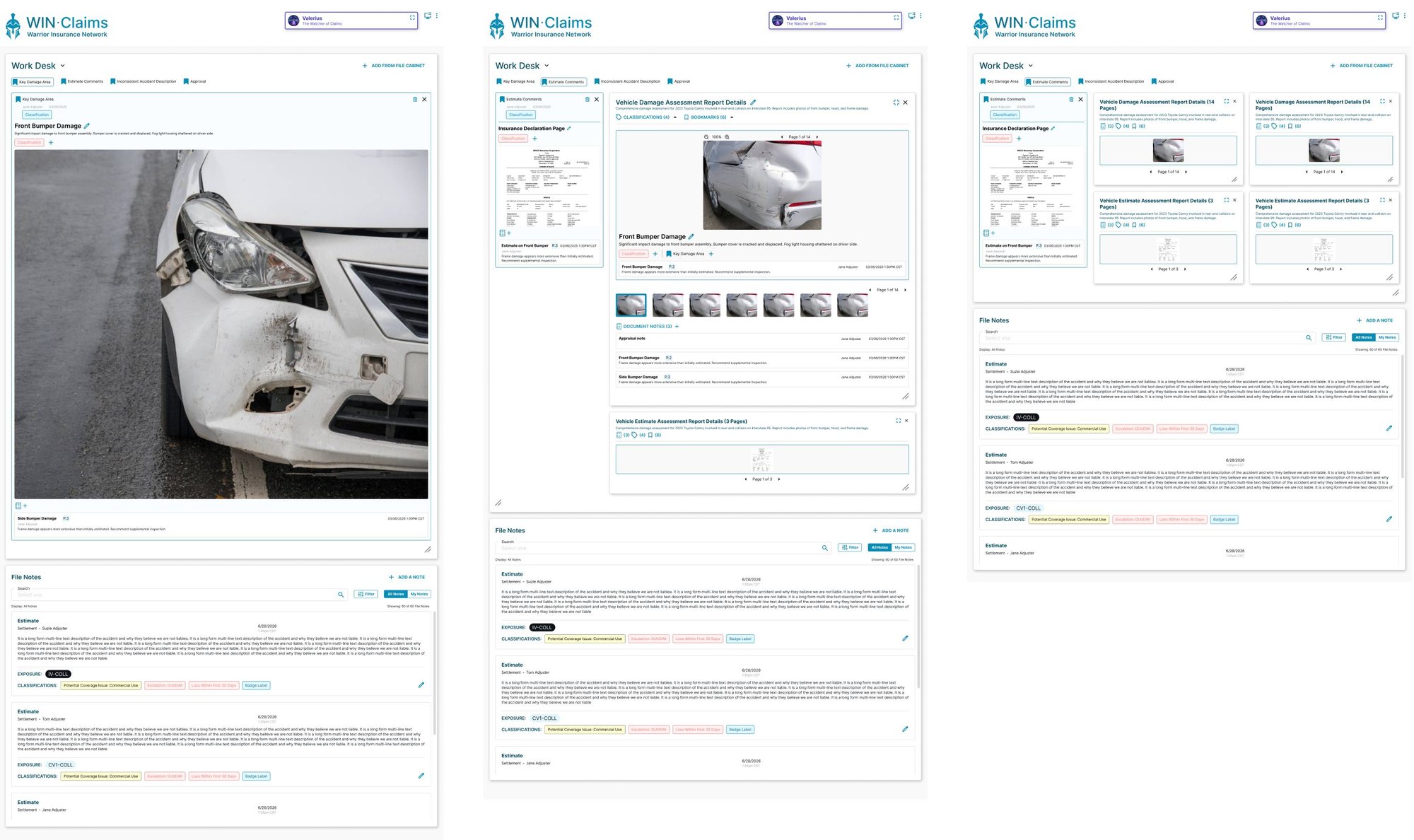
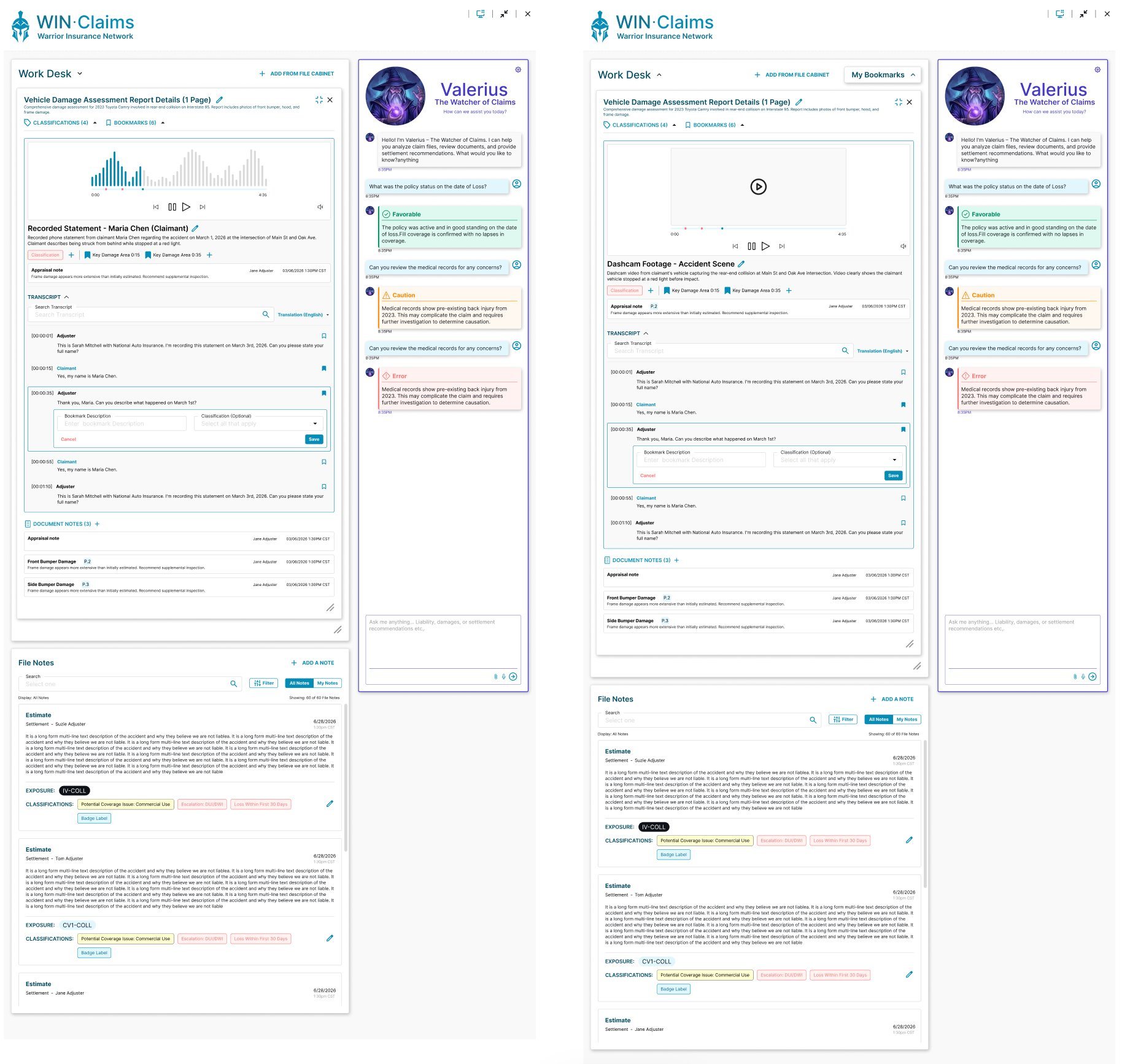
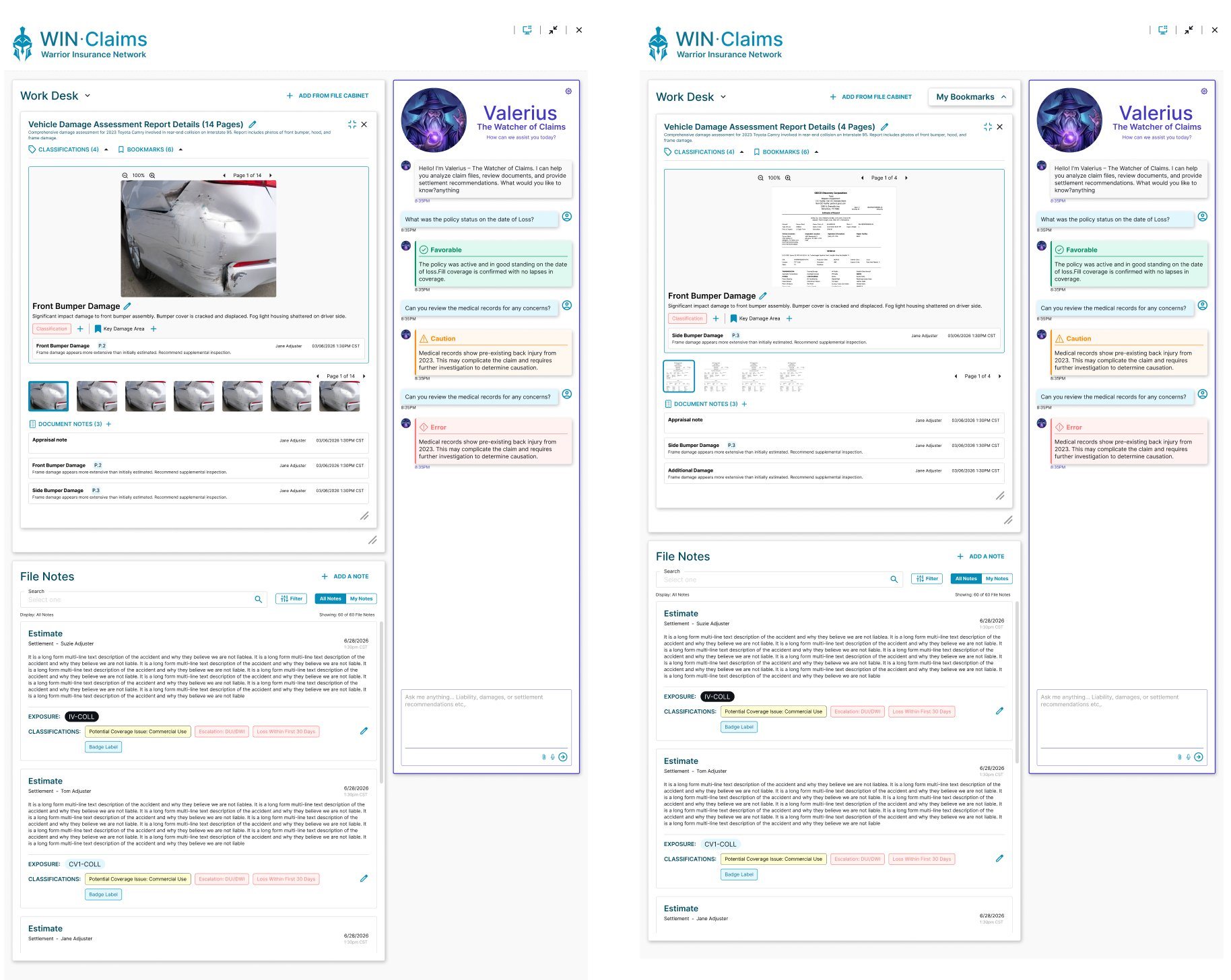
Alongside the core platform, I designed an internal AI tool to help Claim File Owners and adjusters investigate claims more effectively — a second screen that works beside the claim file rather than interrupting it.
Offer an AI-powered tool that collects information and answers questions quickly and efficiently, helping adjusters process claims.
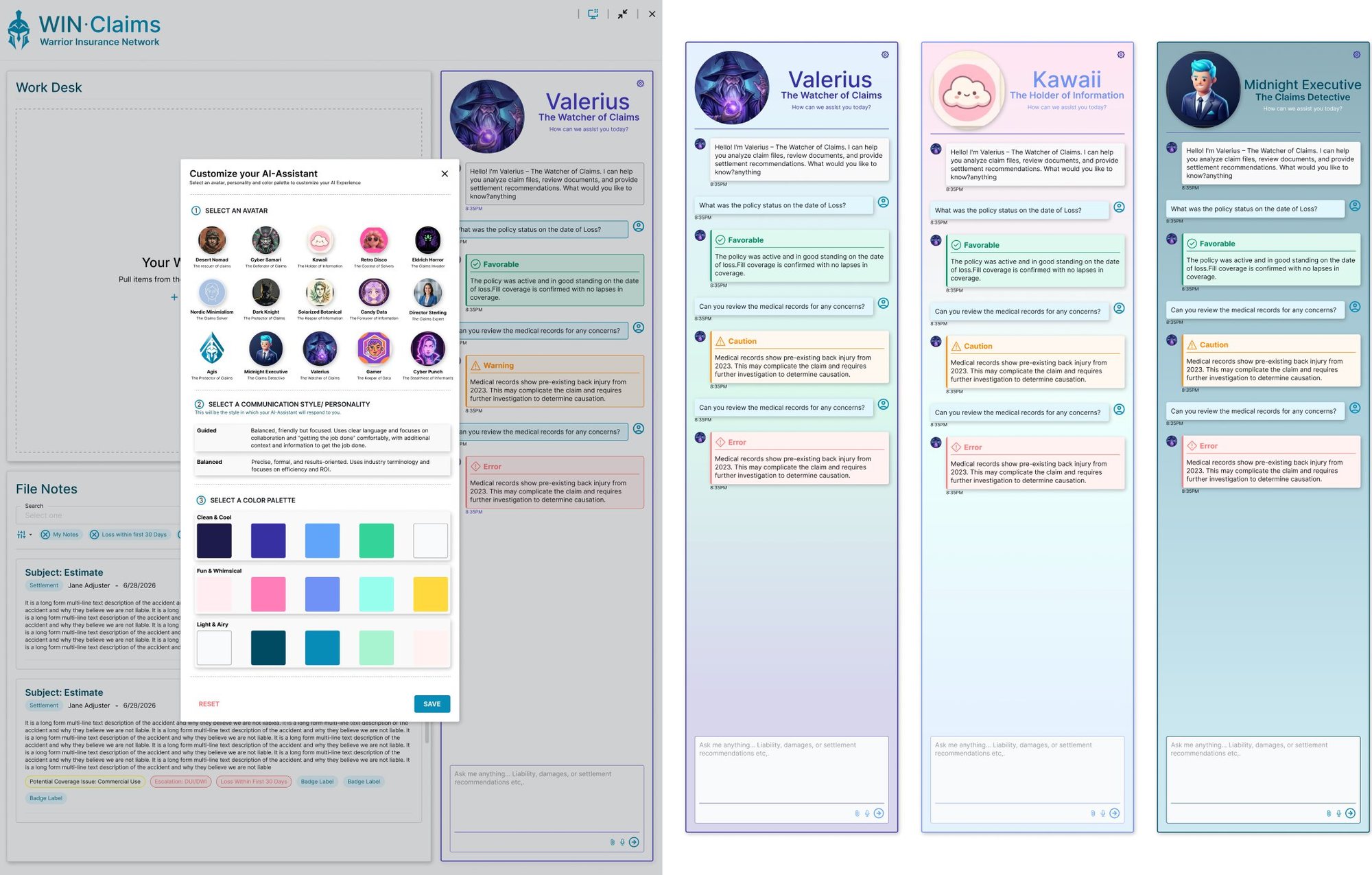
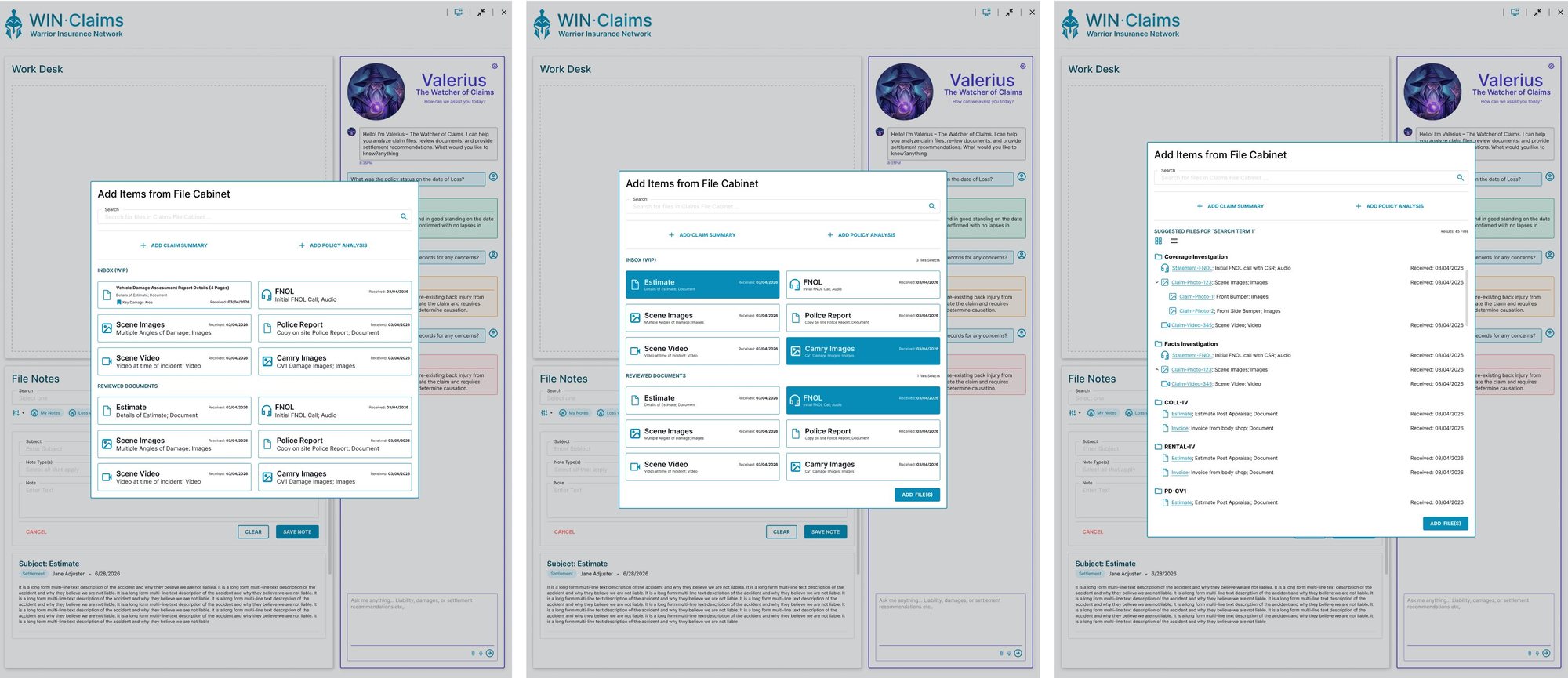
The experience spans the second screen itself, AI settings, a file-selection popup, and dedicated viewers for every kind of evidence a claim might hold — image, document, audio, and video.
The entire post-claim process was designed to be fully responsive — adapting cleanly from a full desktop workspace down to a phone, so adjusters and agents can work wherever they need to.